


Wichita State University
myPerformance atWICHITA STATE UNIVERSITY:
myPerformance Evaluation Timeline Summary
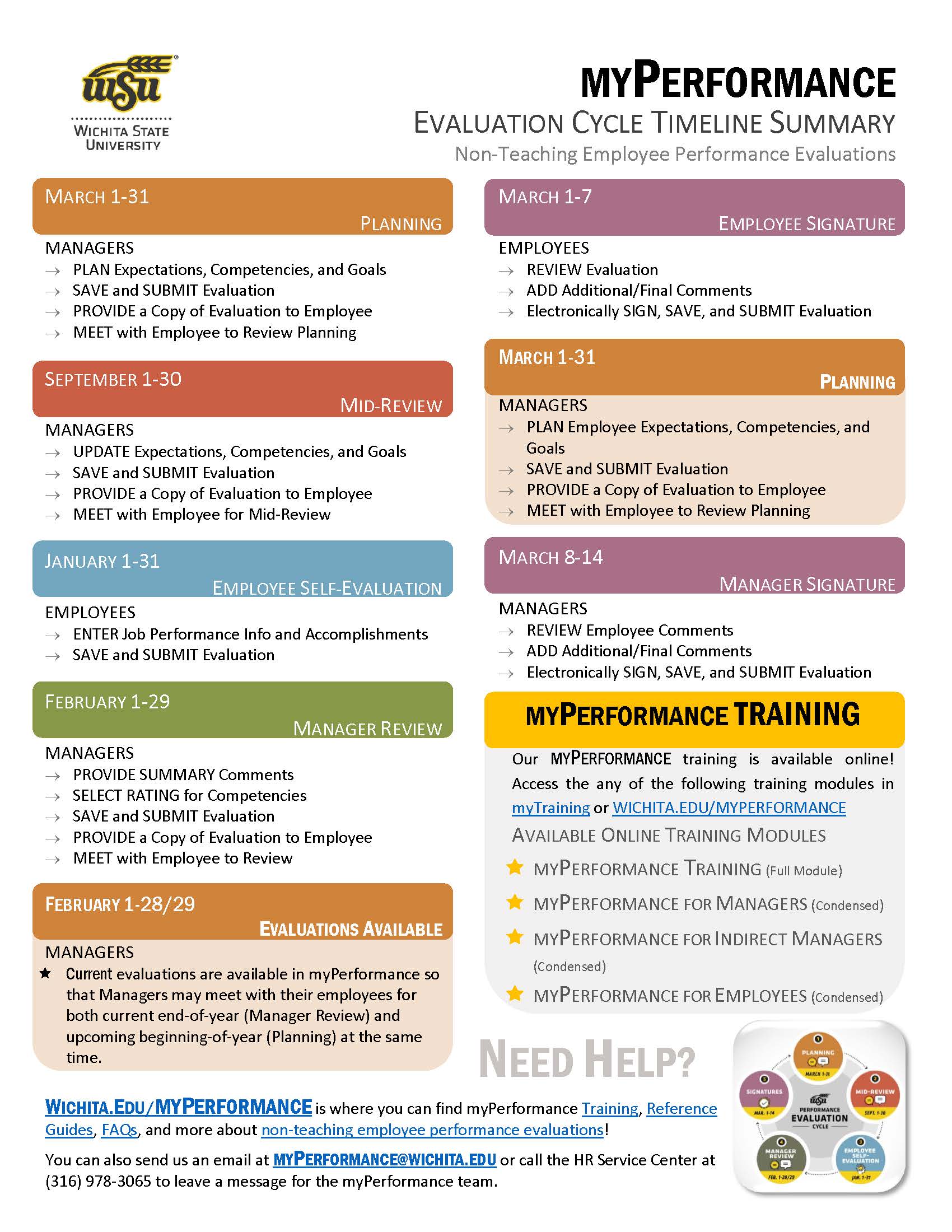
Information about the myPerformance evaluation timeline, online training, and help can be found on this flyer. Click on the button below to get your copy!
Need Help with myPerformance?
Select a link below for helpful information, training, guides, and more!
Tips & Tricks:
Answers to your most commonly asked questions about myPerformance at Wichita State!
- "Help! my evaluation has disappeared!"
- "How can I print a copy of my current/past evaluation?"
- "I missed my Self-Evaluation deadline, what can I do now?"
- Managers can add Co-Planners in myPerformance
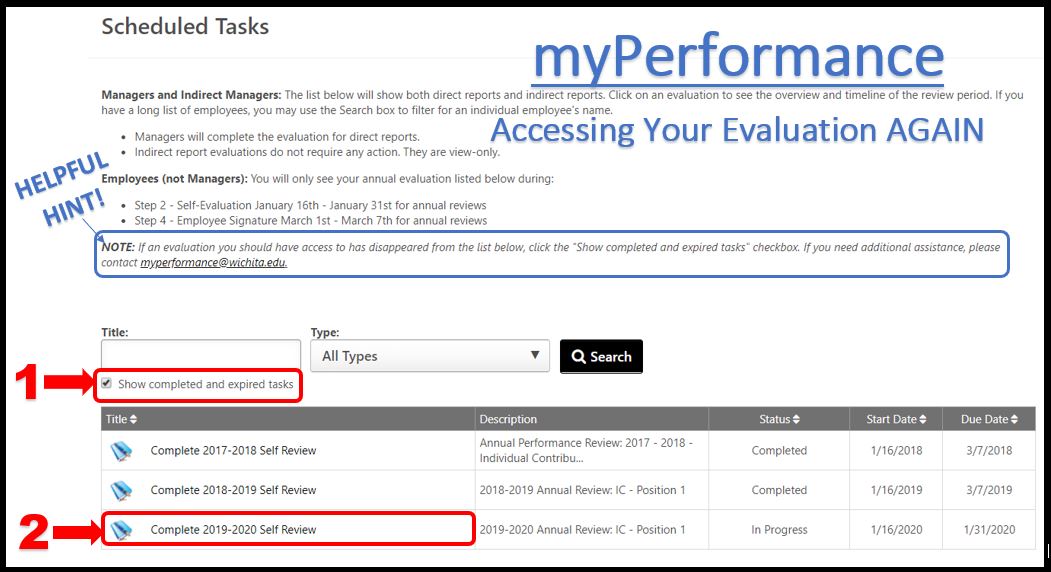
"Help! my evaluation has disappeared!"
“I need to access my evaluation again, but it has disappeared! How do I get it back?” or “How can I access past evaluations?” These are the most common questions the myPerformance Team gets during Self-Evaluation time.
Never fret, the solution is simple:
- After you have accessed an evaluation for the first time, the status automatically changes from “Not Started” to “In Progress.”
- Therefore, you will need to checkmark the (teeny-tiny-easy-to-miss) box that says, “Show completed and expired tasks” and then click on the Search button. Voila! You should be able to access your current and past evaluations from there.
Remember: During Employee Self-Evaluation (Jan. 1-31), only employees will have unlimited access to their 2026-27 myPerformance evaluations. Leaders / Managers will have access to their direct report evaluations again during Manager Review (Feb. 1-29).
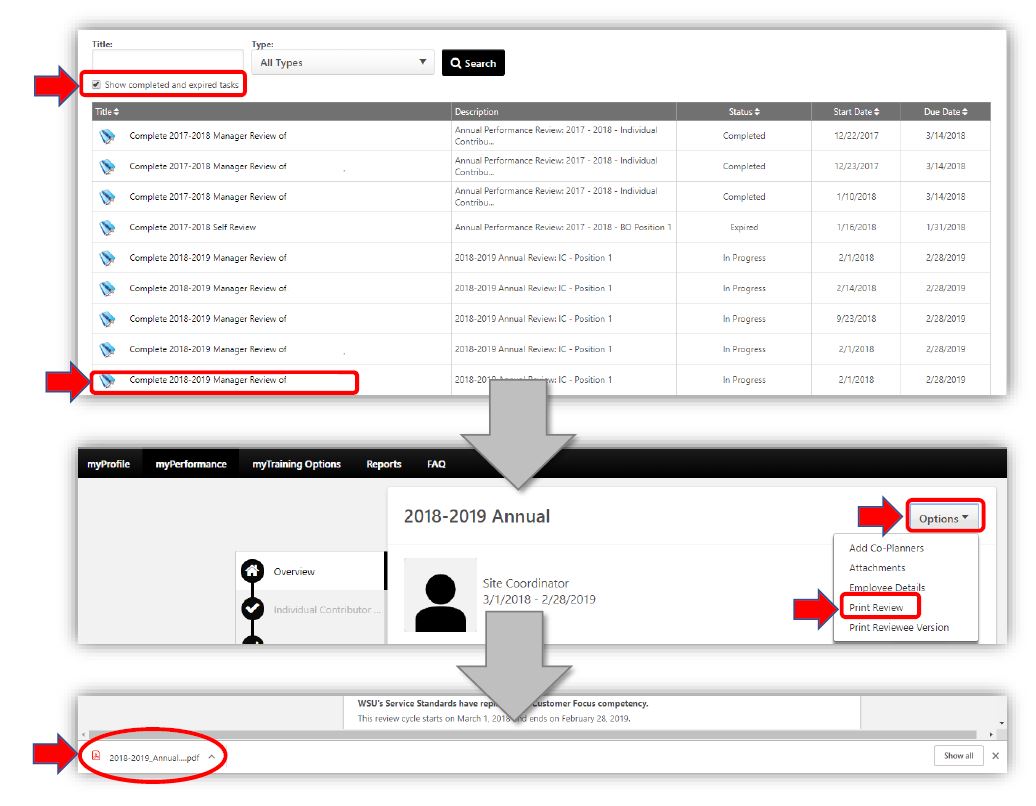
How can I print a copy of my current/past evaluation?
To print a copy of your evaluation:
- Login to myPerformance
- Select the evaluation you would like to print
- you may need to checkmark the (teeny-tiny-easy-to-miss) box that says, “Show completed and expired tasks” and then click on the Search button
- Select the "Options" dropdown
- Select "Print Review"
- This will download a PDF for you to either print or save to your computer
"I missed my Self-Evaluation deadline, what can I do now?"
“I missed my self-evaluation deadline, what can I do now? Can I get an extension?” or “My direct report missed the Self-Evaluation deadline, but no longer has access to their performance evaluation. What can I do?” These are the most common question the myPerformance Team gets this time of year. Here’s what you should do.
Employees – ask your manager to reroute/send your evaluation back to you.
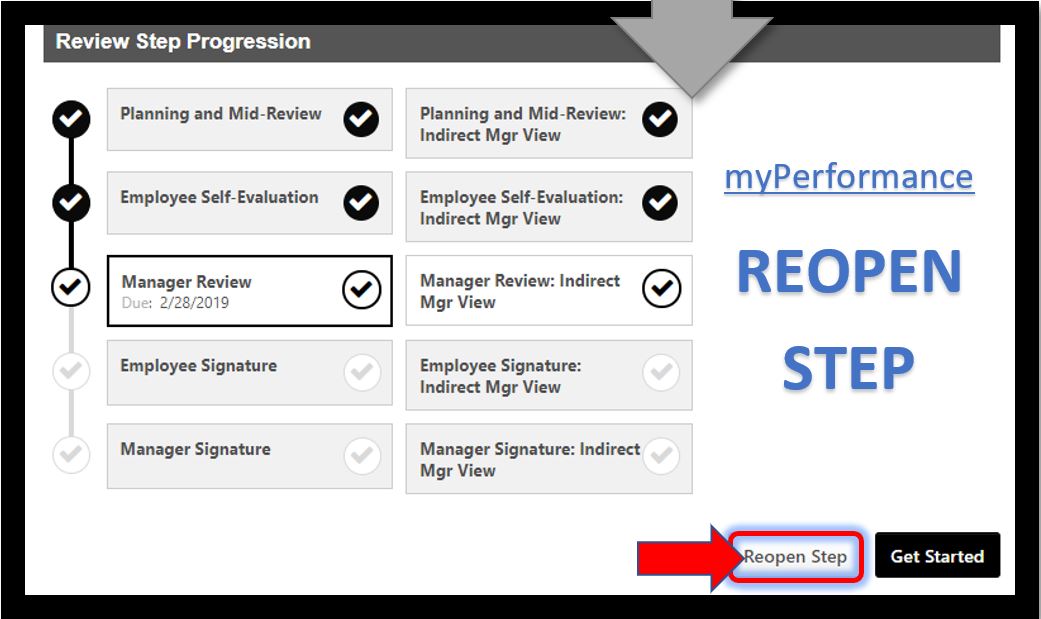
Managers – you have the option to send your direct report(s) evaluation back to them by using “Reopen Step”. This will reroute the evaluation back to your employee so that they may complete the Self-Evaluation step of the evaluation cycle. Once they have saved and submitted their content, the evaluation will automatically route back to you.
Manager INSTRUCTIONS:
- Open your direct report 2026-2027 evaluation
- select “Reopen Step”. It’s that easy!
Remember: Manager Review is due by the end of this month (February 28th). Only managers will have access to performance evaluations during this step, unless they have used the “Reopen” step function to extend the Self-Evaluation deadline to their direct report.
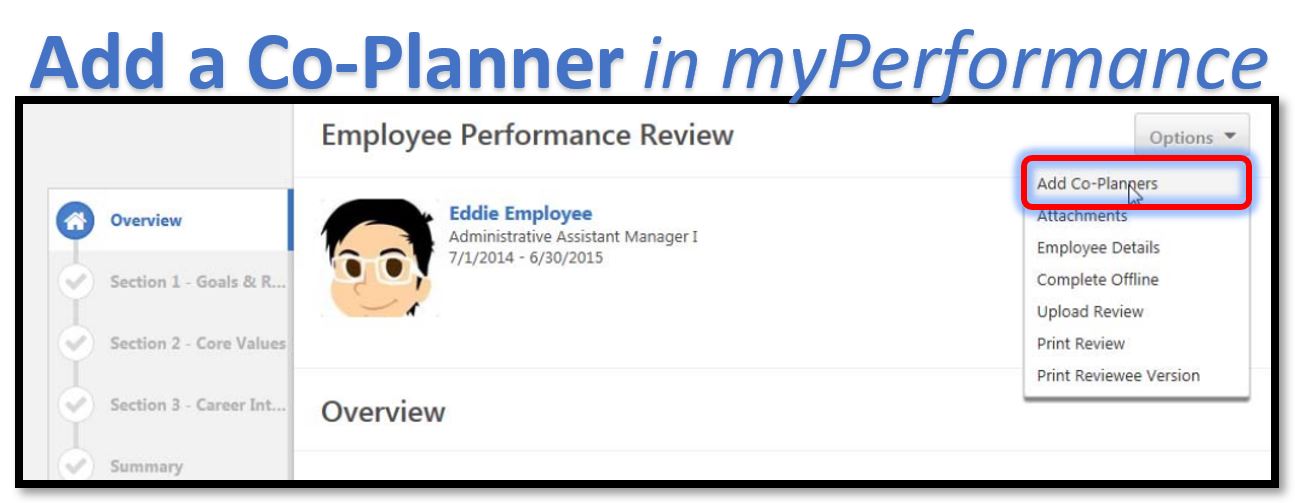
Managers can add Co-Planners in myPerformance
What is a Co-Planner? A Co-Planner is one who has managed a portion of the employee’s work assignment during the performance evaluation period. If there is a dual reporting relationship, both leaders need to have input into the myPerformance employee evaluation. The employee’s manager can use the co-planner input when they are evaluating the employee’s performance and assigning ratings. Co-planners can also perform reviews as though they were the manager who was assigned the performance review task. These are key factors for complete performance evaluations and for employee development.
Managers can add a Co-Planner by following these INSTRUCTIONS:
- Select the employee’s evaluation in myPerformance
- On the drop-down Options Menu, select Add Co-Planners
- Enter the name of the co-planner to search for options, select the co-planner from the list, then select Save
Visit the Wichita State University myPerformance web page at www.wichita.edu/myPerformance for more information.
SME: SP/SRAP
Updated: 02/10/2026 NH