


Wichita State University
Setup & Reset Your WSU Password
Wichita State University uses Microsoft's password recovery account (also referenced as Self Service Password Reset (SSPR)) for password reset/recovery. Below you will find information on setting up and resetting your myWSU password.
Are you a new student or WSU employee?
New users will receive an email from WSU with instructions on how to set up their myWSU password. Select the dropdown below for instructions on password setup.
NOTE: Username is your myWSUID@wichita.edu (for example: x111y222@wichita.edu)
Select the drop down below for additional information:
NEW USERS: How to set up your myWSU password
Please see the following steps to set up your myWSU password for the first time.
Please use Private or Incognito window when setting up your password. Click here for information on accessing Private/Incognito browser windows
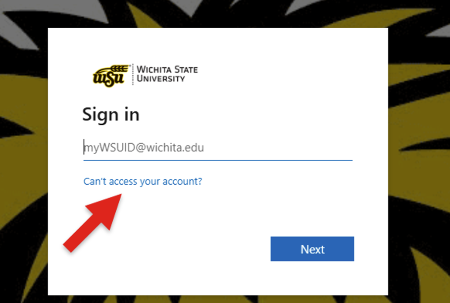
- In a web browser, go to mywsu.wichita.edu and select Can't access your account?
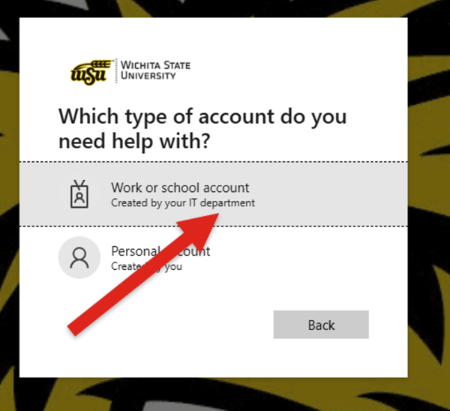
- Select Work or School account
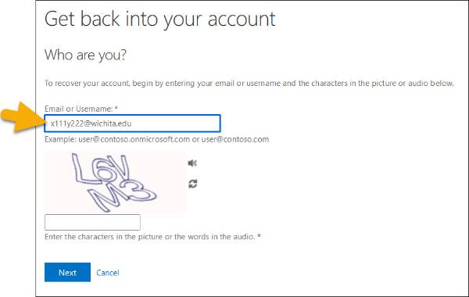
- Enter your Username and verfication infomation requested, Click Next
NOTE: Your username is NOT your email address.- Username is: your myWSU ID@wichita.edu
(for example: x111y222@wichita.edu)
- Username is: your myWSU ID@wichita.edu
Reset WSU Password
See below for steps on how to reset/recover you myWSU password.
Please use Private or Incognito window when resetting your password to accurately
reset your password. Click here for information on accessing Private/Incognito browser windows
- In a web browser go to mywsu.wichita.edu and select Can't access your account
- Select Work or School account
- OR
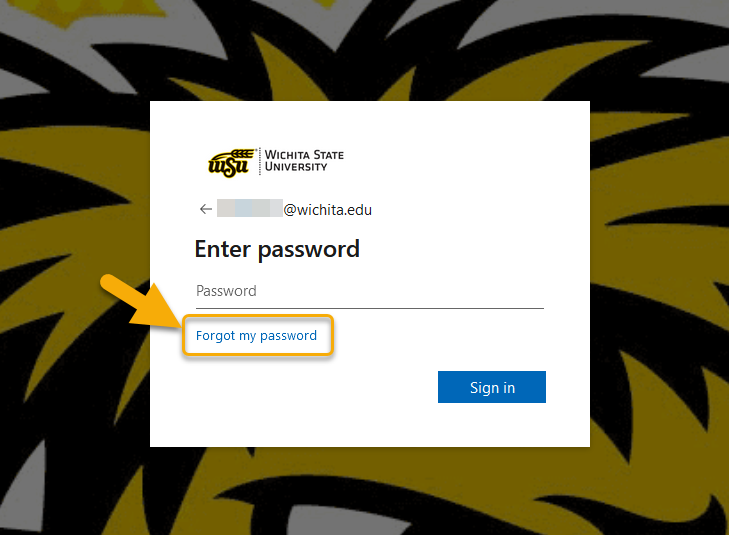
- Go to m365.wichita.edu, and select Forgot Password in the Enter Password window
- Enter Username and enter the characters displayed to verify that you are not a bot.
NOTE: Your username is NOT your email address.- Username is: your myWSU ID@wichita.edu
(for example: x111y222@wichita.edu)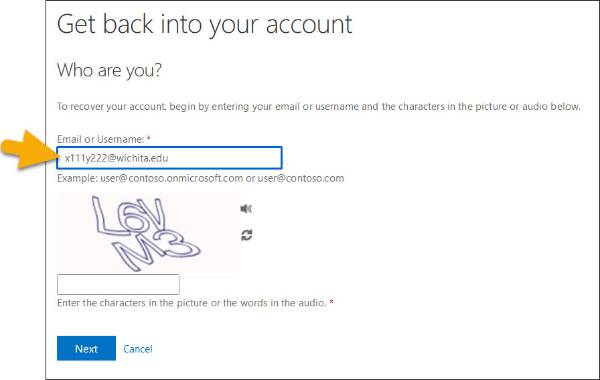
- Username is: your myWSU ID@wichita.edu
- Verify identity
Depending on what verification options were set up verify your identity using one of the following options:
Email - must use a non-WSU email address currently on file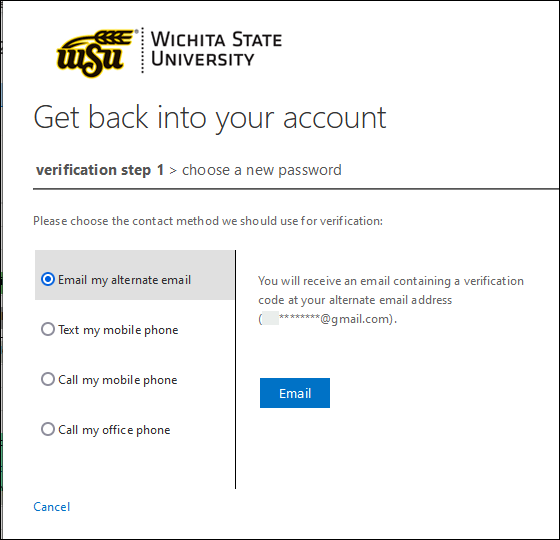
Mobile Phone
Mobile Phone 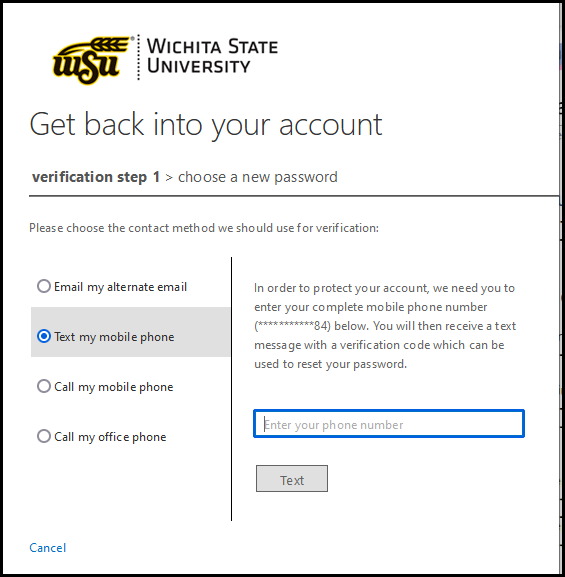
Office Phone
Office Phone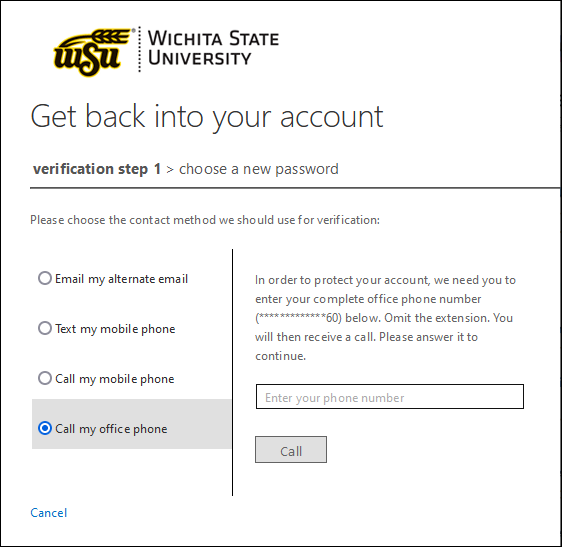
Next Steps
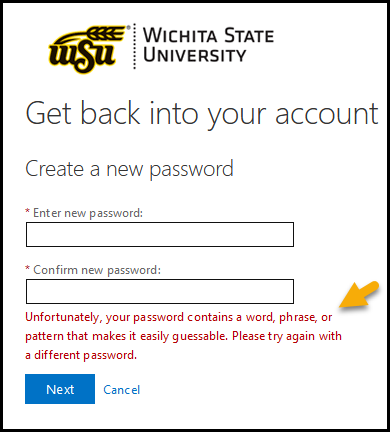
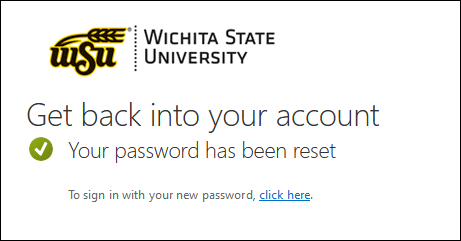
After creating a password it is strongly recommended that users set up a secondary authentication method.
- Log into m365.wichita.edu BEFORE logging into myWSU to set up a secondary authentication method.
Use wsuid@wichita.edu (example: x111y222@wichita.edu) and WSU ID password - While in Office365 you can add or update authentication methods/devices under Settings. See FAQs below for further information.
FAQs
What if my Phone number changes?
If your authentication method is no longer accurate and needs to be changed, please contact ITS Help Desk during business hours. For security purposes users will need to contact Help Desk directly for identity verification.
Contact Information: 316-978-4357, option 1
How to add more than one verification method
Additional verification methods (for example a second phone number) can be added by logging onto the Office365 site, or using the mobile application.
To add a second verification method:
- Login to m365.wichita.edu
Use: myWSUID@wichita.edu (x111x222@wichita.edu) & myWSU ID password - Click your name on the bottom left, then click 'View account'
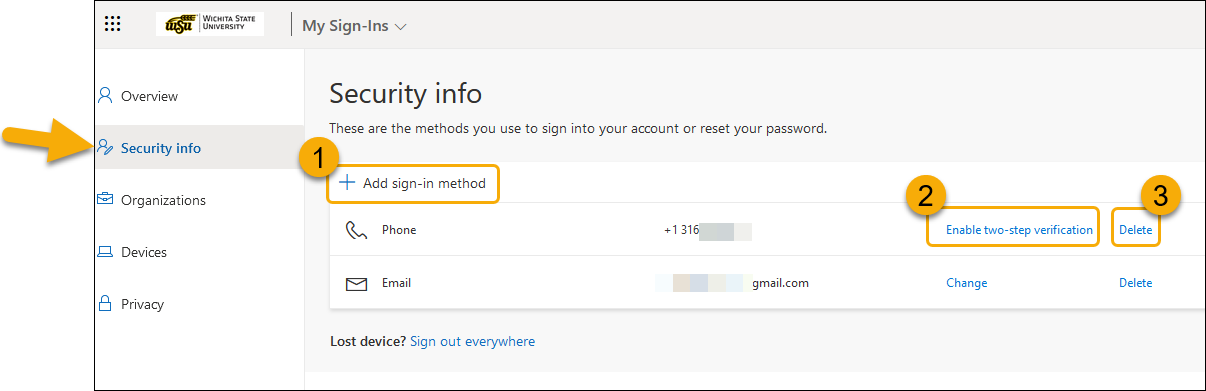
- Click Security info to update, or add methods
-
- Click 'Add sign-in method' to add a method, and follow the required steps
- Click 'Enable two-step verification' to include as an option for two step verification, and follow the required steps
- Click 'Delete' to remove the method
- Information regarding the mobile application is listed above.
How long do I need to wait before I can change my password again?
Which web browsers work best when changing my password?
WSU Passwords can be changed using any web browser.
NOTE: Please use Private or Incognito window when resetting your password to accurately reset your password. Click here for information on accessing Private/Incognito browser windows
For any questions or assistance please contact ITS Help Desk at helpdesk@wichita.edu or (316) 978-4357, Option 1.