


Wichita State University
myWSU Features and Information
What is myWSU?
myWSU is WSU’s portal, single point of entry to web based services at Wichita State.
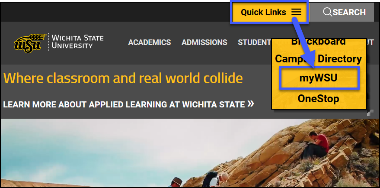
To login, go to http://www.wichita.edu click Quick Links, select myWSU
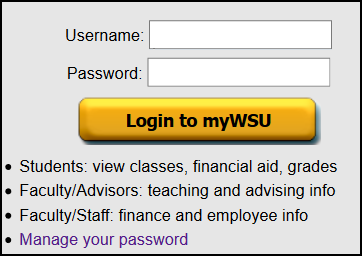
- Enter your myWSU ID and password.
- Click the Login button.
The Faculty/Staff tab houses a variety of options for WSU faculty and staff. For example:
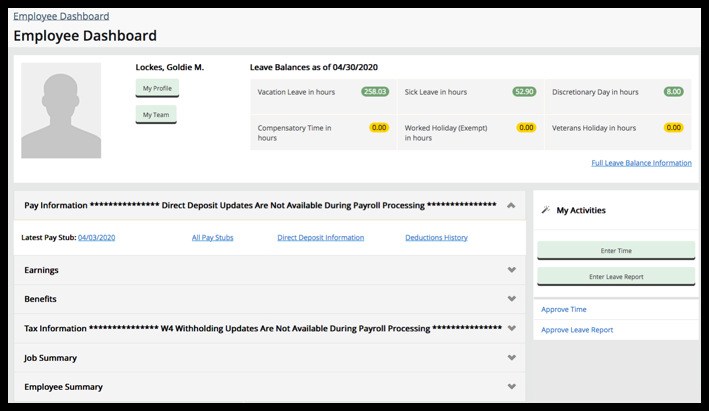
- Employee Dashboard: All Employees: View benefits, leave balances, pay stubs, exempt employee Leave Reports and more
- myTraining: Sign up for trainings available to WSU Employees.
- myPerformance: Complete staff performance evaluations.
- Outlook Web Mail: View WSU email online
Access Email Online
An email address is generated for new faculty/staff members for their use. If you are unsure if the account exists, or if you need to make changes, contact the HelpDesk at (316) 978-4357, option 1. To access your email from any computer with an internet connection do the following:
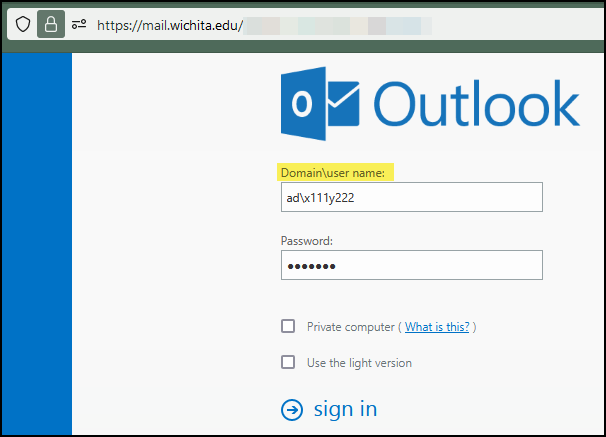
- Go to https://mail.wichita.edu. or click on Outlook Web Apps Mail in the Employee Toolbox channel in myWSU.
- Domain: enter ad\(your mywsuID): e.g. ad\A123Z987.
- Password: your established password.
- Private Computer: uncheck this box if you are using a public computer.
If your account is migrated to Microsoft 365, follow the steps below:
- Go to http://M365.wichita.edu
- In the Sign in Window, enter your myWSUID@wichita.edu.
Click Next. - In the password box enter your myWSU password. If you have not yet set a password click here for instructions.
- Authenticate your Duo.
- Click on the Outlook icon in the left menu to access your email.
For assistance with setting up Outlook on your office PC please contact the HelpDesk, or your department's Technical Support Team.
Manage Your Password
WSU uses Self-Service Password Reset (SSPR) to recover/change or setup you WSU Password.
In web browser, go to https://aka.ms/sspr to change or setup WSU password.
Password Tips
The following rules apply to all systems that use your myWSU ID and password.
- Passwords expire every 180 days and previous passwords may not be reused.
- Passwords are case-sensitive, a minimum length of 12 and a maximum length of 30.
- Passwords must begin with an alphanumeric character (A - Z, a -z, 0 - 9)...
- Passwords must include at least three out of four of (1) uppercase (A - Z), (2) lowercase (a
- z), (3) digits (0-9).
- Passwords may contain one or more of only these characters inside the brackets [@%+/'!#$^?:,(){}[]~`-_.].
- DO NOT:
- Do not use your myWSU ID or any part of your first and last name.
- Do not use more than 4 numbers or letters in sequence. (ex 1234, abcd)
- Do not copy and paste the information, please enter it manually.
- Do not use a word, phrase, or pattern that makes it easily guessable. (ex Sh0ck3r23, Spr1ng23)
- Do not use your myWSU ID or any part of your first and last name.
NOTE: IT Security Awareness (ITSA) must be current before changing your password.
Having problems accessing myWSU or password management?
Contact the Technology Help Desk at (316) 978-HELP or helpdesk@wichita.edu
Locked out of your Account, or does Outlook log out periodically?
If you enter an incorrect password for your myWSU account too many times, the system will automatically lock down your account. This is a security measure to prevent unauthorized users from accessing myWSU accounts. A message will appear indicating the account is locked and will remain locked for 15 minutes before resetting.
Reminder:
- When changing your password, change it across ALL devices that you have logged into (iPad, mobile phone, laptop(s), desktop(s), and WSU Secure); otherwise, you run the risk of being locked out of your account. For example, when a password is changed at work and you are also signed into your work email on a personal device at home, it will attempt to sync to the mailbox on the personal device causing too many failed attempts and locking the account.
- To help mitigate the situation, clear out devices that you are not using. To do this:
- Log into mail.wichita.edu (login includes the domain: ad\)
-
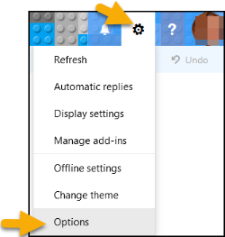
- Go to the Gear Icon, Select Options
-
- Under Options, Select General > Mobile Devices
- Remove any devices that are no longer being used
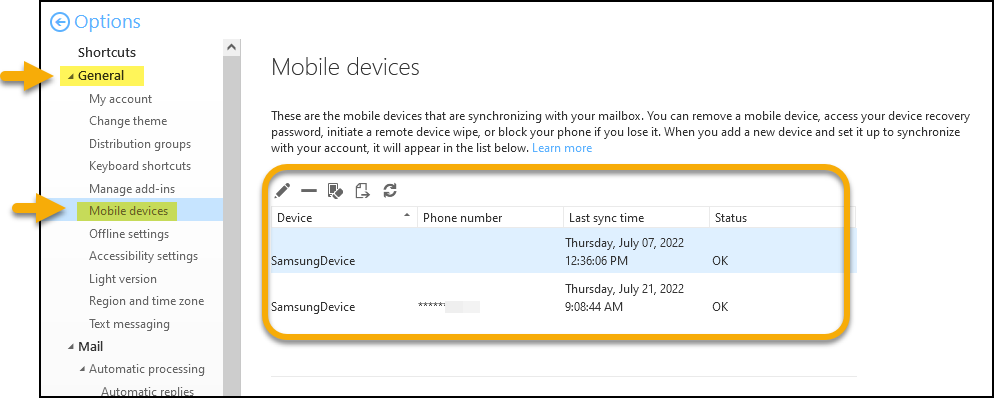
- This will reduce issues with syncing that contribute to failed attempts.
Voicemail Web Interface
- The voicemail guide provides instructions on how to call your voicemail from off campus, how to retrieve voicemails online, how to get voicemails sent to email, etc.
- Please note (Must be on campus or use VPN.)
For additional information about the services and support provided by Telecommunications please visit their website at ITS Telecomunications
Contact Telecommunications at (316) 978-3535 or telecomservices@wichita.edu
Dropbox
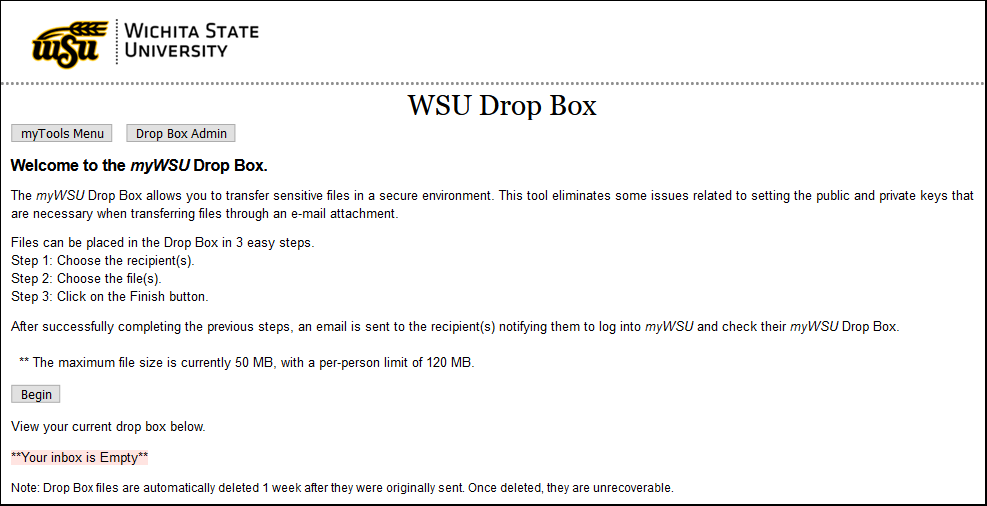
The myWSU Drop Box allows you to transfer sensitive files in a secure environment. This tool eliminates
some issues related to setting the public and private keys that are necessary when
transferring files through an e-mail attachment.
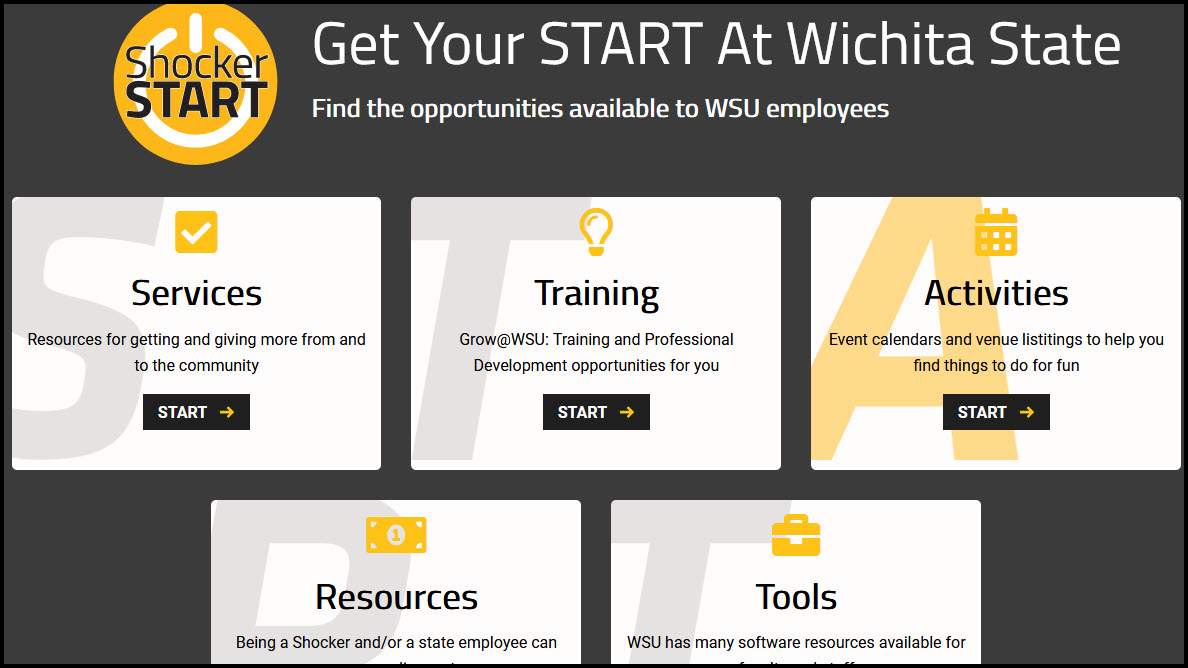
Shocker S.T.A.R.T.
Shocker S.T.A.R.T.
Services, Resources for getting and giving more from and to the community
Training, Grow@WSU: Training and Professional Development opportunities for you.
Activities, Event calendars and venue listitings to help you find things to do for fun.
Resources, Being a Shocker and/or a state employee can earn you discounts.
Tools, WSU has many software resources available for faculty and staff.
myTraining
WSU faculty, staff, and student employees have access to free training sessions for both personal and professional development. Visit the myTraining webpage for more information.
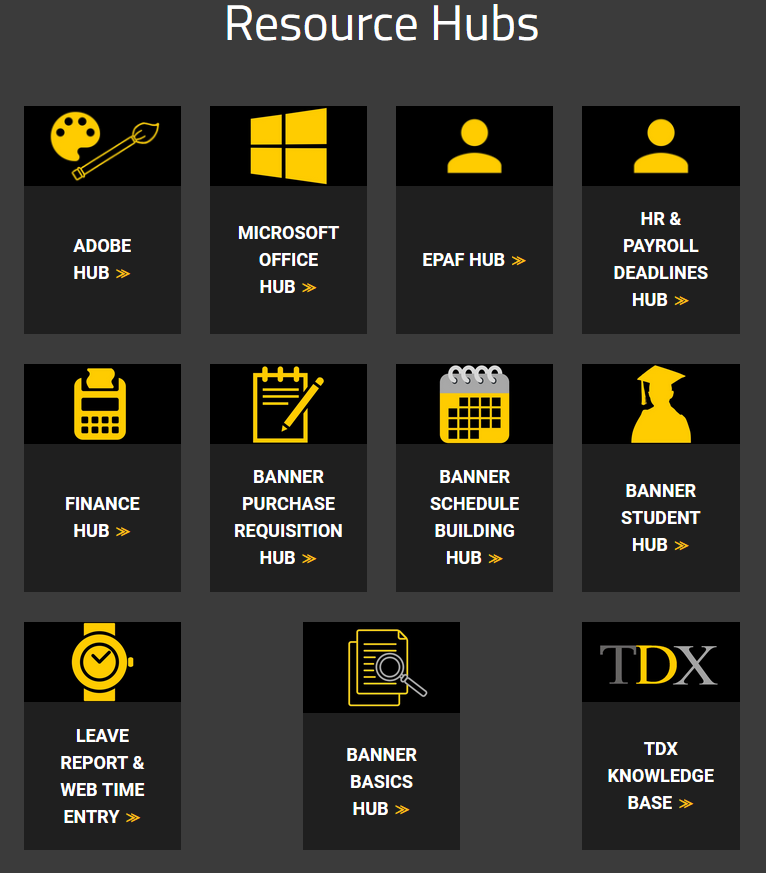
Employee Training Resources Hub
This Hub contains guides and resources that are available for the various trainings and software that Applications Training supports. It also contains helpful information and resources for administrative personnel.
Employee Required Trainings
FERPA Training This online training is provided to educate faculty, staff, and student employees regarding the Family Educational Rights and Privacy Act (FERPA).
ITSA This training is provided to educate faculty and staff, and promote awareness of information security best practices.
Annual Conflict of Interest The Kansas Board of Regents (KBOR) and WSU policies require that all University employees
(except student employees and graduate students) complete and submit an annual report
of financial interests and time commitments.
Employee Self-Service
The Employee Dashboard is a place where you can view your personal information including:
- Paystubs, leave balances and benefits
- Contact Information including address, email, phone and emergency contact
- Timesheet (Enter Time)
- And more!
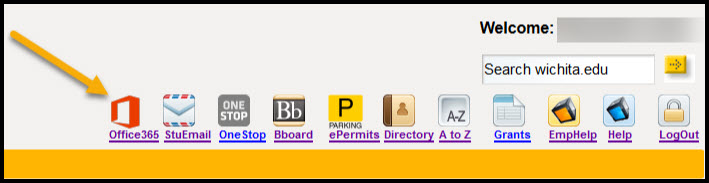
Office 365
Office 365 for WSU Faculty and Staff is for use on personal computers only. For WSU owned devices, Contact the Technology Help Desk at (316) 978-HELP to have an updated version of Microsoft Office installed.
Microsoft Office 365 contains:
- Excel
- Word
- PowerPoint
- OneNote
- OneDrive storage
- And more!
A maximum of five (5) installations of Office 365 are allowed on PCs, Macs, tablets or smart phones.WSU does not recommend storing FERPA protected information on OneDrive. For more instructions on how to access and download Office 365. Microsoft Office Downloads for Home Use
ePermits
This is your Shocker Parking portal where you can access and update your account, register your vehicle and purchase an ePermit.
For more information about parking for faculty staff including:
- Where can I park?
- Parking Maps
- Parking Rates
Please visit the parking website Faculty/Staff Parking Permit
ITS Applications Training
ITS Applications Training Team is dedicated to the software training needs of WSU employees, staff, and faculty.
Provided services include in-person and online instruction as well as one to one support
for several software applications available at Wichita State. Please visit their website
at wichita.edu/applicationstraining for more information.