


Wichita State University
When upgrading your device or simply returning an old device to the University, it must be wiped clear of all data. This is to ensure University data is not compromised. It also allows us to recycle the device. Below are the steps you should take to wipe your phone of all data. Remember to backup, remove accounts and lock screens, then wipe the device.
iPhone:
Step 1: Back up your data
- Connect your iOS device to stable Wi-Fi network.
- Go to Settings > [your name], and tap iCloud.
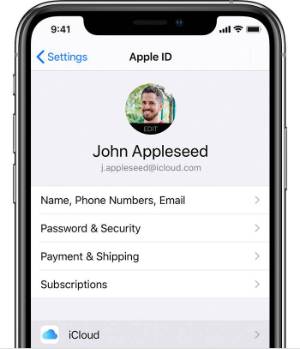
- Tap iCloud Backup.
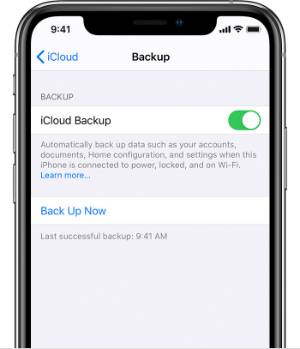
- Tap Back Up Now. Stay connected to your Wi-Fi network until the process completes.
Step 2: Sign out of your Apple ID and turn off services
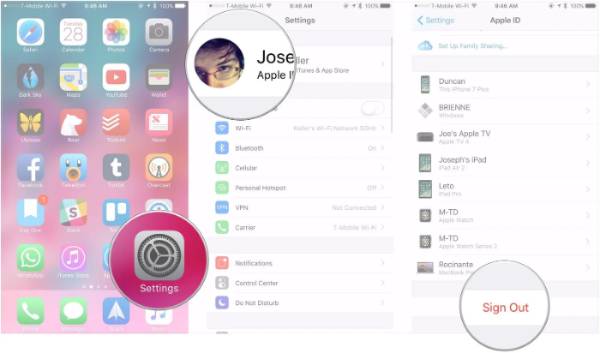
- Go to settings
- Your Name
- Scroll Down and tap 'Sign Out'
- You will be promoted to enter your password
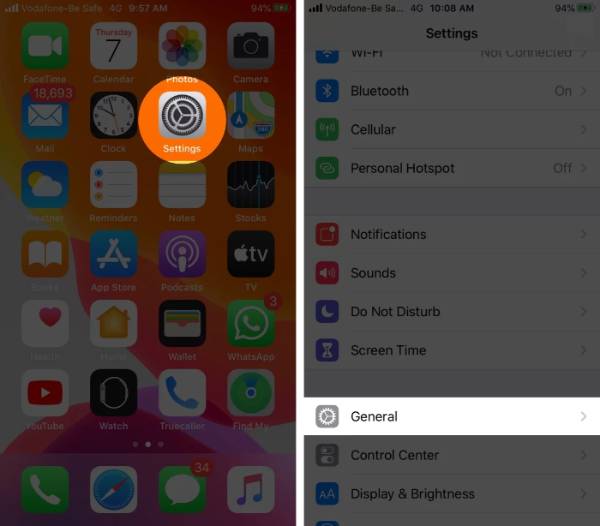
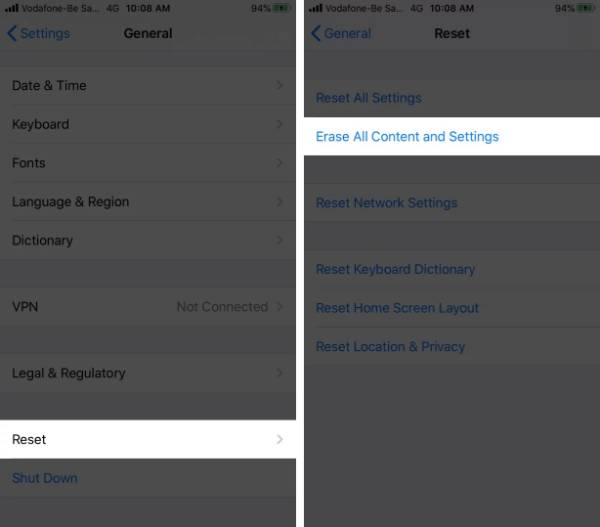
Step 3: Restore your factory settings
Android:
Step 1: Remove Screen Lock
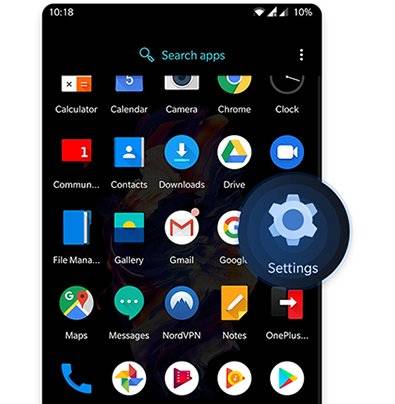
- Open the Settings app.
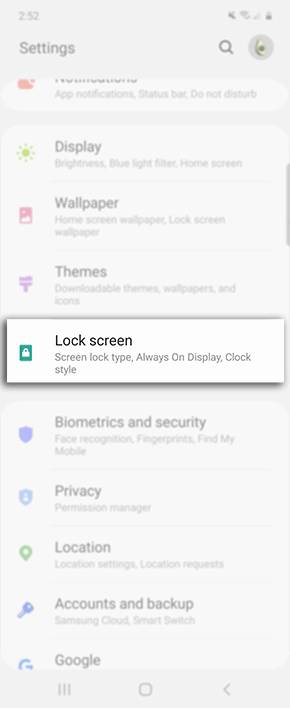
- Open the Lock Screen option.
- On older Operating Systems (4.4 - 5): Select the My Device or Device tab from the top of the Settings, and look for Lock Screen under Personalization.
- On newer Operating Systems (6+): Scroll down onthe page until you find Lock Screen
or Lock Screen & Security - the icon has a little padlock on it.
- Select Screen Lock or Screen Lock type.
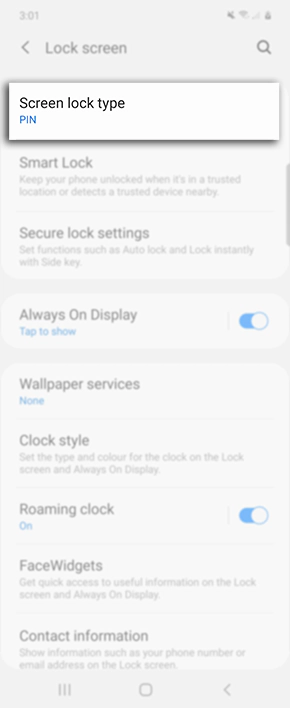
- Enter your current Lock Screen credentials.
- Select your new Lock Screen type as None.
Step 2: Remove your Google Account
- Tap on Settings.
- Scrolls down and tap on Clouds and accounts.
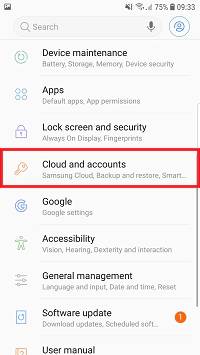
- Tap Accounts. A list of accounts on your phone appears.
- Tap Google.
- Tap at the top right corner of the screen symbol with dotted line.
- Tap remove account.
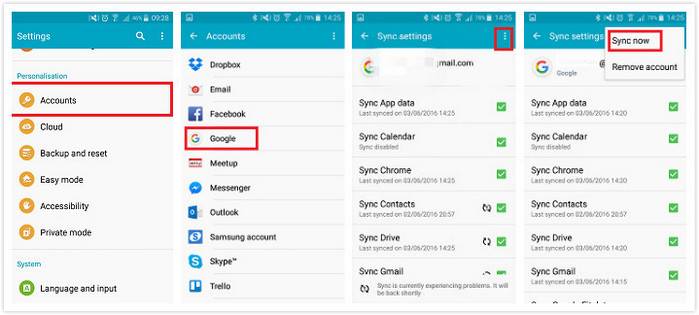
- Confirm to remove account.
Step 3: Remove Samsung account (If any)
- Its the same like removing google account instead of selecting google we choose "Samsung" account after we tap Accounts.
Step 4: Wipe the Device
- Open settings app.
- Scroll down and tap Backup and reset If you don't see this option on the Settings menu, look for General management. On some devices, the Reset option will be under this submenu.
- Tap factory data reset.
- Reset device.
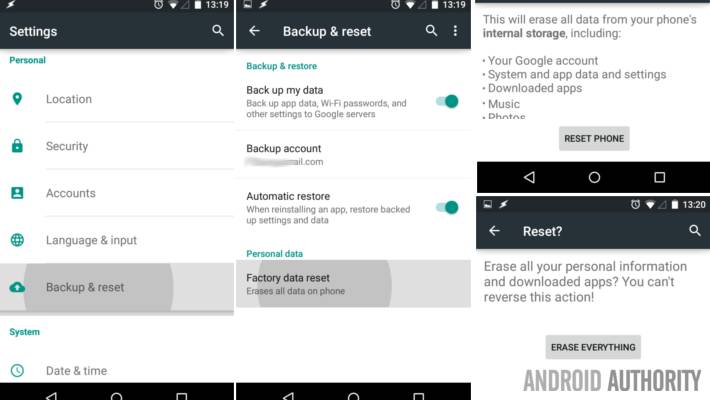
- Erase everything.
When Complete
At this point, your phone should be completely reset just like it was when it was new. What is important is that since you took the steps to remove your account before the device was wiped of data, you have enabled someone to re-use your device. We recycle these to ensure our devices are not just sitting in a landfill somewhere.
When you have completed this task, you bcan make the decision about what to do with the device. Your department owns the device, so you can either keep it in the department to be used as backup or you can send it to us for recycling. We are located in Jabara Hall, room 027 (basement, north side). You can also sned them to us at campus box 061.
Please be aware that any device that is not wiped by the previoius user will be destroyed. If you are having trouble with any of these steps, please call us and walk through it with us.
WSU Telecommunications