Wichita State University

Anita Barrett, PMP, teaching Agile at CMD

CMD
Project Management
WSU's Ticketing System is a project and portfolio management (PPM) software solution specifically tailored to accommodate the needs of Higher Education, with a simple yet powerful web-based application. This allows Project Owners to submit and keep track of project requests. The PM ticketing tool builds on a typical project request framework, but delivers significant enhancements to the project request, approval, tracking, and reporting processes. All components of managing a process to the last survey of the stakeholders can be automated.
Start a new ITS Project:
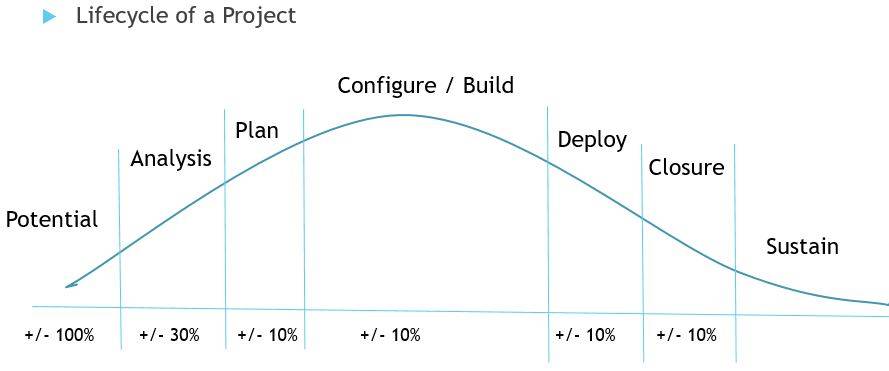
Forming a project is the first step of the project management process! The potential project is called a “Project Request." Project Requests are reviewed by a governing body who approves funding, resources and timing of projects. Currently the CIO and ITS Directors review and prioritize Project Requests biweekly to determine:
- Value (tangible and/ or intangible) tied to WSU’s goals,
- Funding for the potential project,
- The technology is secure and fits with the current architecture, and
- The needed resources are all available to accomplish the project.
An urgent Project Request will be reviewed within 8 business hours.
Funding an ITS Project:
Each department requesting ITS services and projects must provide funding for their request. Please work in advance with your budget officer in order to provide org/fund numbers for the needed funding. ITS is always willing to provide a quote at no charge. If needed, your budget officer, may ask you to escalate up through your management to obtain needed approval and funding. Asking ITS to pay for it isn’t a short or long term option.
How does ITS select a Project?
The Project Charter contains all needed information to make a decision to select the project or not. Within TDX, this critical document is built in to make it easy to submit (Project Request), update-able and visible to all stakeholders from ‘forming to completing’ the project. This data is captured today from discussions, and then added by a PM into TDX:
What: Title, purpose, scope, WSU Goals, Benefits/Expenses, Organizational Risks, alignment
Why: Desired deliverables, success factors, impact to department/WSU, type of project
When: High level time needs that becomes a detailed schedule (Gantt Chart / Card Wall)
Who: Sponsor, Department, Team Members, Stakeholders
Where: The campus or buildings impacted
Scorecard summarizes: compliance / security needs, level of business engagement, efficiencies gained, flexibility of solution to cope with changing business needs, competitive advantage, level of individual making the request, increase enrollment, improve student retention, and level of technology innovation (behind, current or ahead of market.)
Monitor my ITS Project:
Sponsors, Stakeholders and Team Members may monitor and contribute to projects they are working. You may access project status, project charter, project manager or team members' contact information, current documents, project's health of Green, Yellow or Red and obtain your tasks. Click on the ITS Project List button to find your project. You will have to use your single sign on and duo authentication.
You will have to use your single sign on and duo authentication. To drill down, please use this list: