Wichita State University
Quest529 Education Savings Plan
What is a 529 Plan?
A 529 education savings plan is a tax-advantaged investment vehicle designed to support qualified education expenses. Congress created 529 Education Savings Plans in 1996 under Section 529 of the Internal Revenue Code, and all 529 Plans are affiliated with a State sponsor. The Kansas Quest529 Education Savings Plan is administered by the Kansas State Treasurer's office.
With just a few minutes to establish the account and a quick enrollment form, any employee can contribute to a 529 Plan with after-tax payroll deductions via direct deposit.
How do I start a 529 Plan?
To establish your account, contact Quest529 at 1-800-579-2203, or open an account online at Kansas 529 Education Savings Plan | Quest529.
You must have an active account with Quest529 before contributions can be made.
Change or stop contributions at any time. After your account is opened, instructions are found below for setting up contributions:
Getting Started
Log in to Quest529.com Go to the Profile & Documents on the home screen, select Payroll Direct Deposit > Change Payroll Instructions.
Change instruction
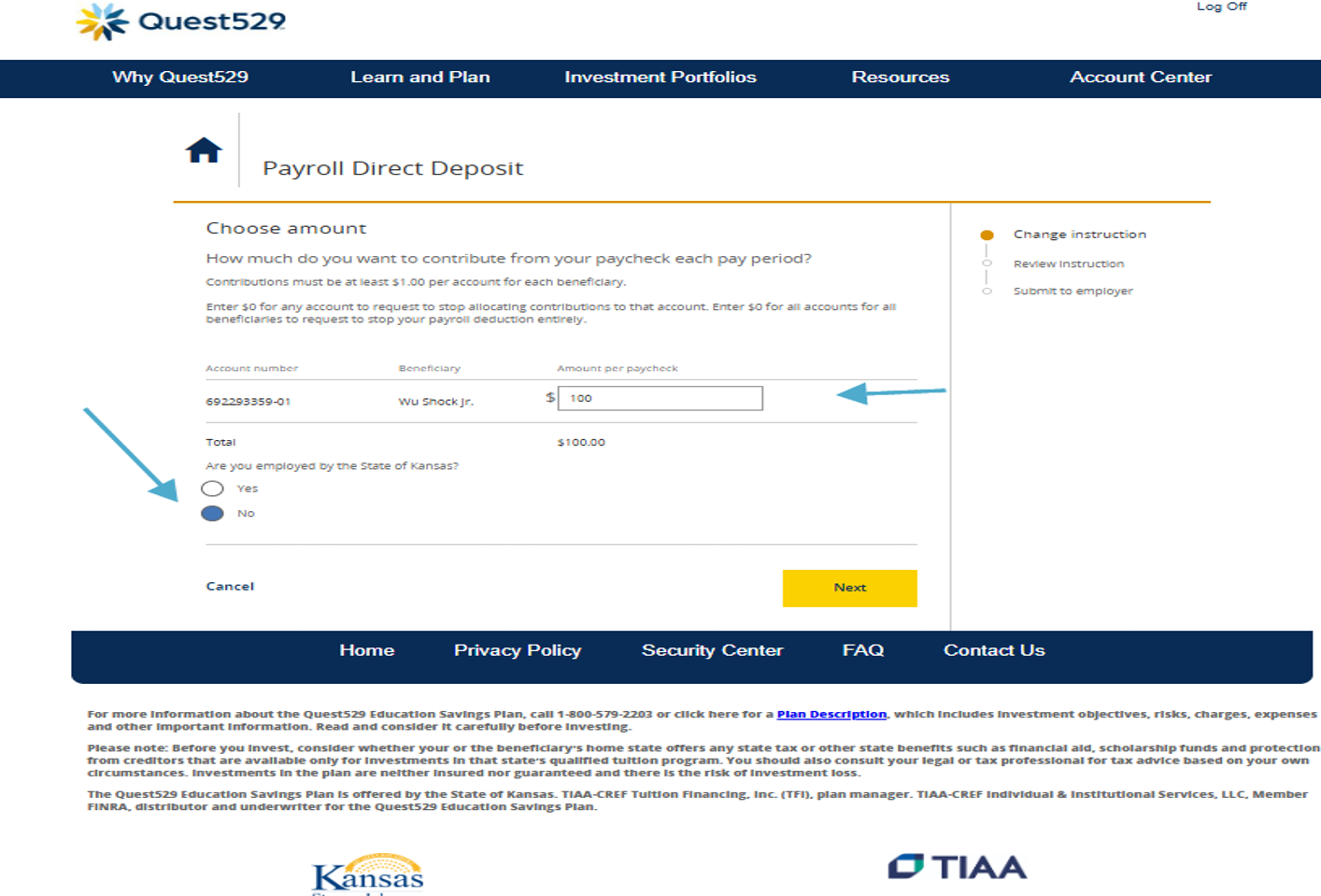
Enter the dollar amount per paycheck (and per beneficiary if you have multiple accounts), indicate if you are a state of Kansas employee, click Next.
- Employees of Wichita State University are state of Kansas employees.
- Employees of Intercollegiate Athletic Association (ICAA) should select not a state of Kansas employee.
Review Instruction
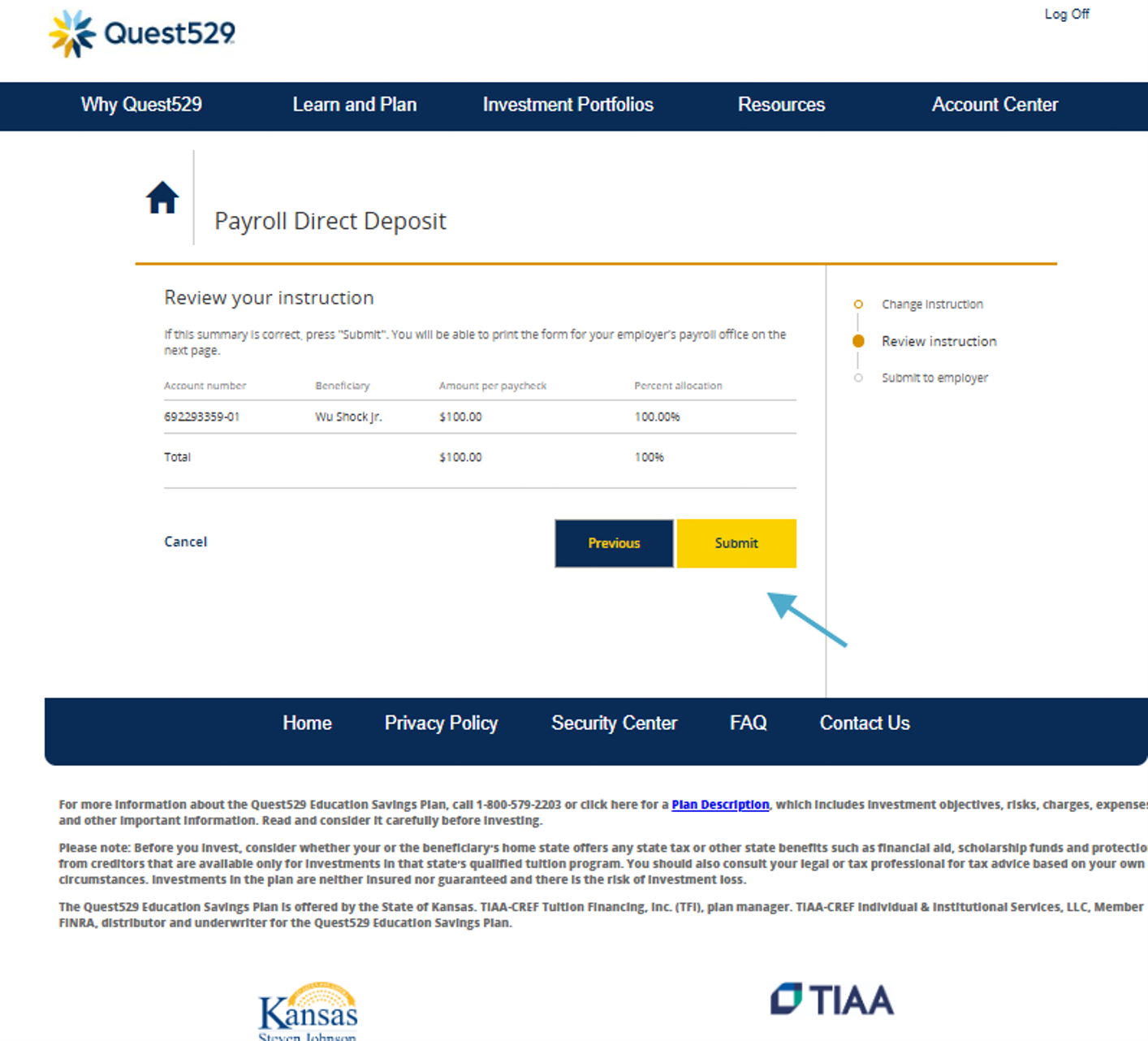
Review your Payroll Direct Deposit instruction and if correct, click Submit.
Submit to Employer
View and print the payroll direct deposit form by selecting Get Form. Then input the routing instructions into your employer's self-service portal for your contribution via direct deposit.
Direct Deposit Routing Instructions
- Account Type: Checking
- ABA Number: 011001234
- Account Number: 943 + first 9 digits of your Quest529 account number.
Remember, you must have an active account with Quest529 before setting up contributions via direct deposit.
If you have already enrolled in the Quest529 plan and simply need assistance setting up your direct deposit contribution via self-service, please reach out to Payroll@wichita.edu or (316) 978-3074.
What are the benefits of a 529 Plan?
- Simplicity of contributing via payroll through direct deposit
- Significant tax benefits on contributions and account earnings
- Kansas State income tax deduction up to $3,000 per year, per child ($6,000 if married
and filing jointly)
- Tax free withdrawals on qualified expenses
- With Quest529, you have full control over how to use your funds. Here is the wide
variety of qualified education expenses that can support your child in any path they
choose to take:
- Tuition at any eligible private or public college or university, community college, technical college, graduate school and professional school across the U.S. and many abroad
- Certain room and board (housing and food) related expenses
- Fees, books, supplies and other equipment needed for enrollment and attendance
- Computers and related technology such as internet access fees, software, or printers
- Certain additional enrollment and attendance costs for beneficiaries with special needs
- Pay for K-12 qualified expenses at a public, private or religious elementary, middle, or high school—up to $20,000 anually
- Pay for apprenticeship expenses federal tax-free—apprenticeship programs must be registered and certified with the Secretary of Labor under the National Apprenticeship Act
- Funds can also be used in these other helpful ways:
- Repay student loans—up to a $10,000 lifetime limit per individual (including principal and interest on any qualified education loan)
- Transfer additional or leftover funds to yourself or another eligible member of the family such as a brother or sister, up to the first cousin
- Quest529 funds may be rolled over to a Roth IRA in the name of the beneficiary. Funds
rolled over to a Roth IRA can be withdrawn free from federal and Kansas income tax.
There are conditions that must be met, including the 529 plan must have been in existence
for at least 15 years. You should talk to a qualified professional about how tax provisions
affect your circumstances.
- Please see the state tax treatment of withdrawals section in the Plan Description found at Quest529 - How does a 529 plan work? for more information.
What are the requirements for a 529 Plan?
- Contribute up to the IRS limit for each qualified beneficiary (currently, for the state of Kansas, aggregate account balance is $550,000 per beneficiary—includes growth and contributions)
- No employer match
For more information, visit the Kansas 529 Education Savings Plan | Quest529 website.
Quest529 Account Opening and Payroll Direct Deposit Job Aid
Before you begin: Have the full name, date of birth, and Social Security number or ITIN for the account owner and beneficiary. If naming a successor owner, have that person’s information available as well.
Part 1: Open a Quest529 Account. If you are an existing account holder, skip to Part 2.
Step 1: Open your account online.
Go to https://www.quest529.com and select Open an Account.
Create your login and follow the online prompts. You will be asked for account owner details, including phone number, phone type, Social Security number or ITIN, date of birth, residential address, and mailing address, if different.
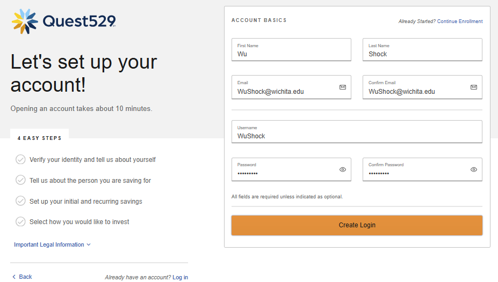
Step 2: Add Beneficiary Information
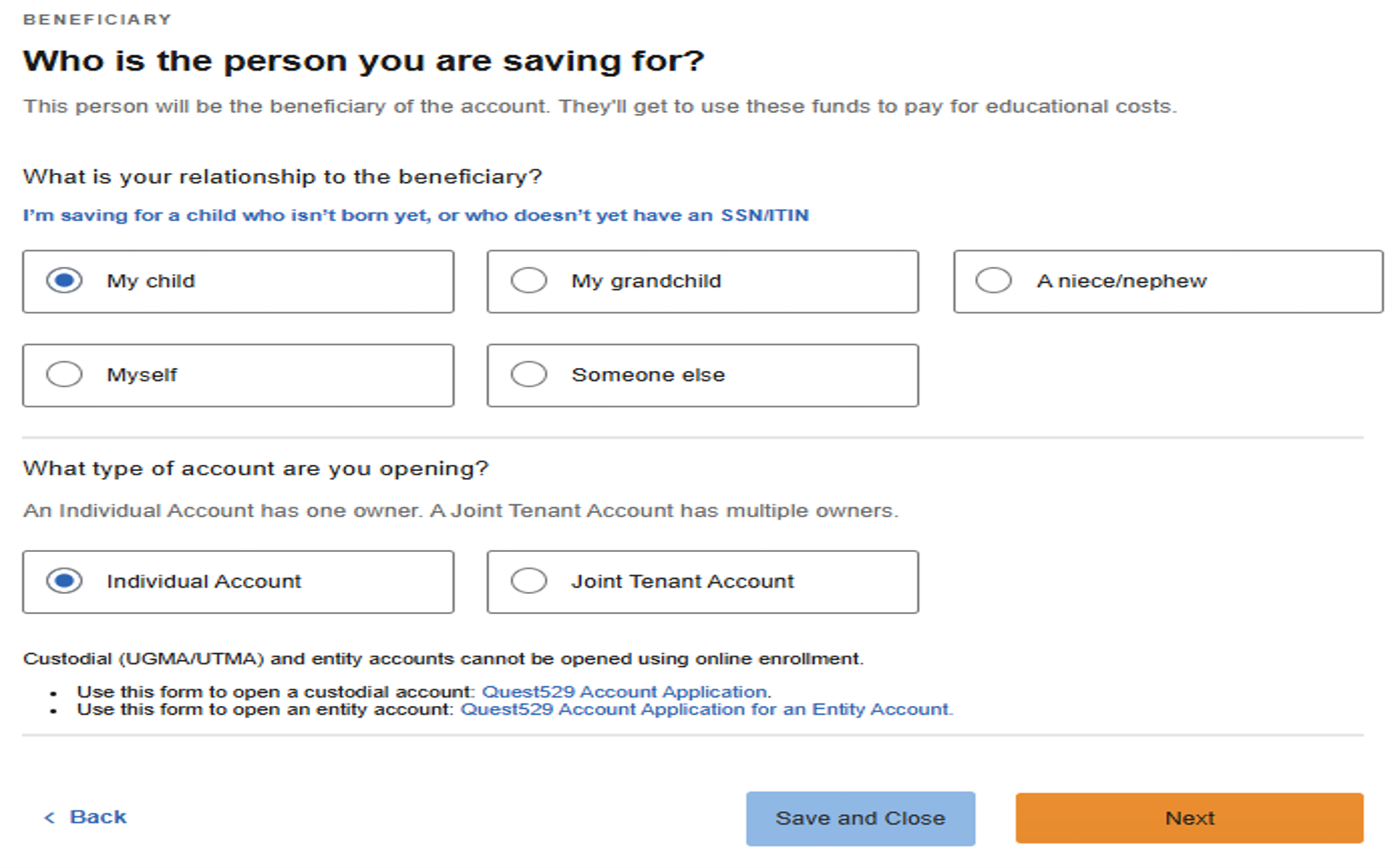
Choose who the account is for.
Select the beneficiary relationship. Then choose the account type, either Individual
or Joint Tenant (if you select a joint account, have the joint owner’s date of birth
and Social Security number or ITIN available) and select Next.
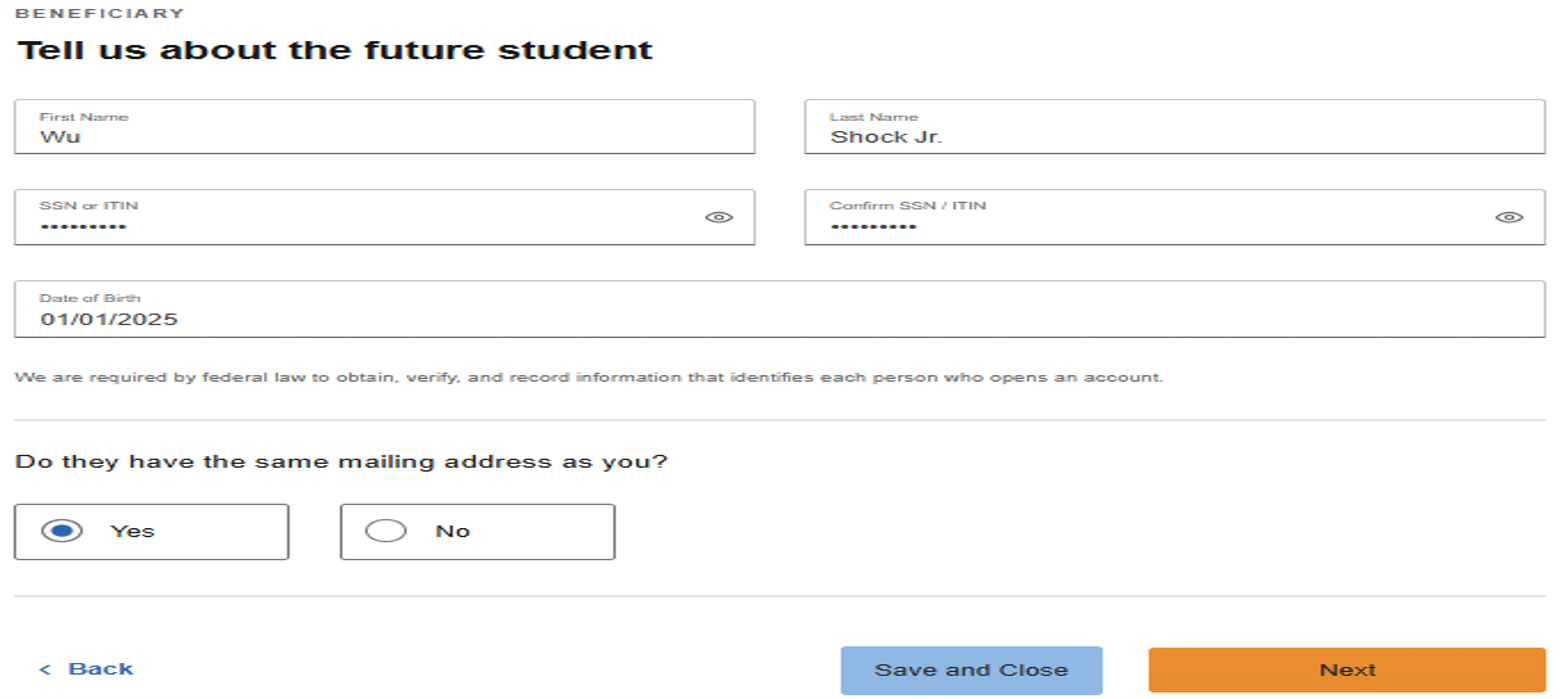
(Skip this step if you selected saving for myself). Enter the beneficiary information, confirm whether the beneficiary address is the same as the account owner’s address. If “no” complete the beneficiary address information and select Next.
Step 3: Choose Funding and Contribution Options
Click on "Skip this step" and follow the instructions to set up payroll direct deposit:
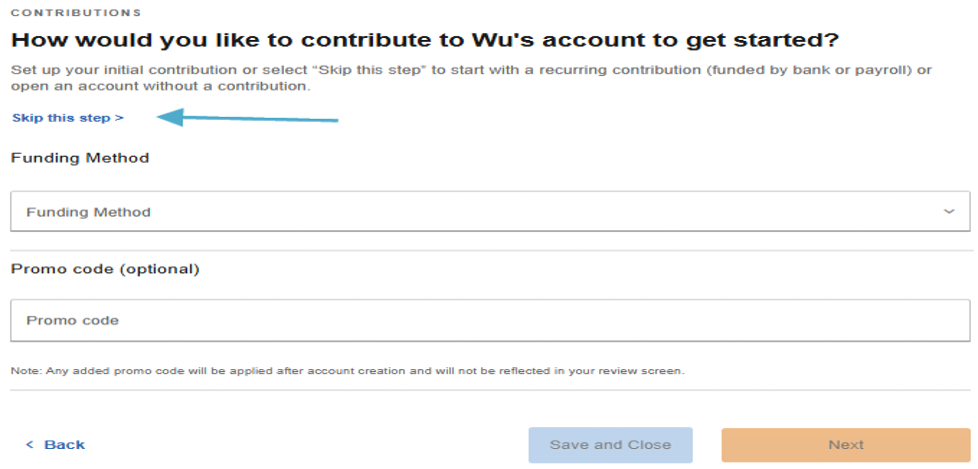
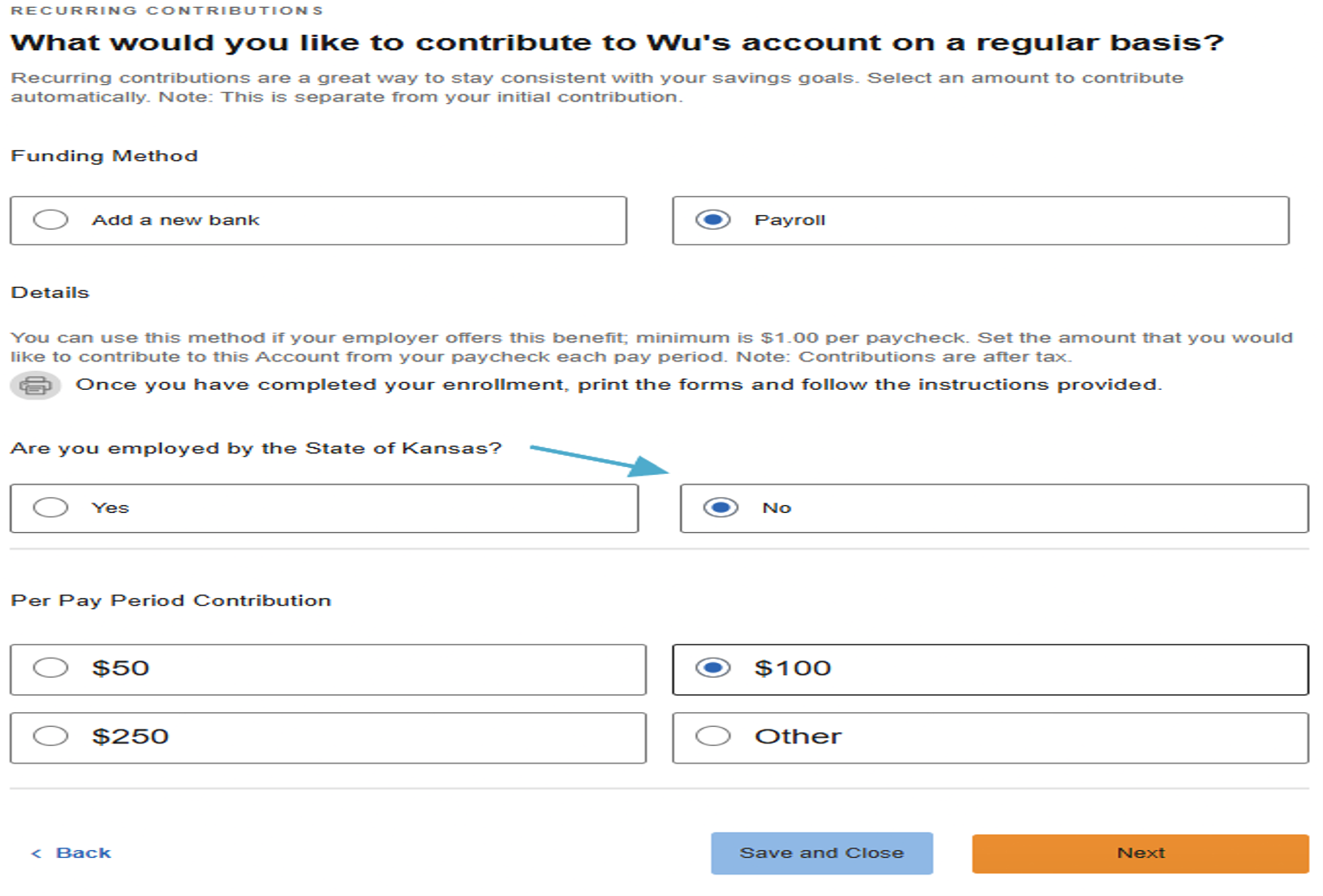
When asked what you would like to contribute, select Payroll as the funding method. For direct deposit through your employer’s payroll portal, answer No to the question “Are you employed by the State of Kansas?”, then choose or enter the contribution amount, and select Next.
Step 4: Select Investments
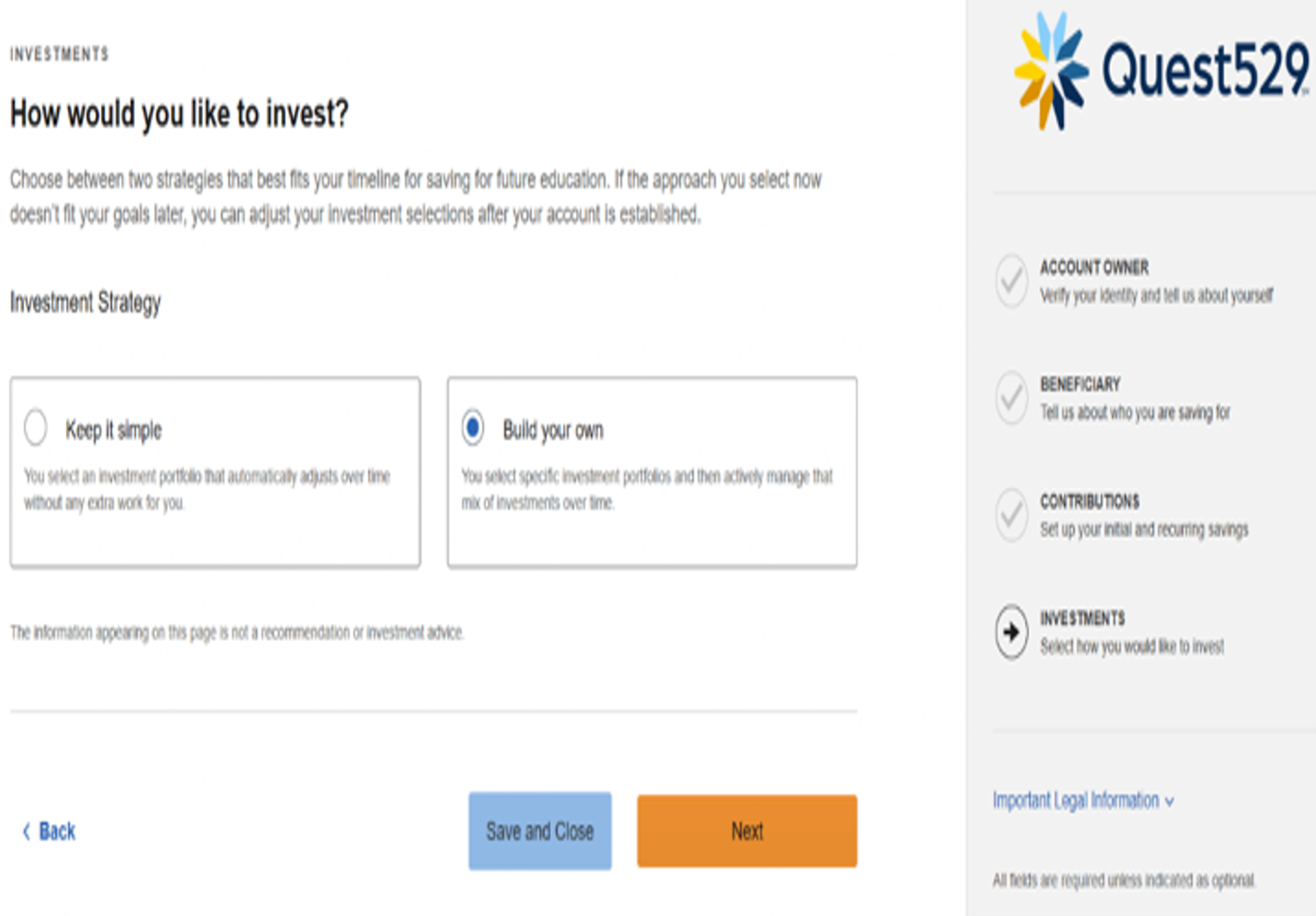
Select the investment option that best fits your needs.
Select Enrollment Year Portfolios for a simple, all-in-one option, or select Build Your Own if you are an experienced investor and want to create your own portfolio. Click Next; After selecting the portfolio, choose Set Allocations, enter the percentage for each portfolio so the total equals 100%, select Confirm Portfolio Selection, and then select Next.
For more information on investment options – Click here https://www.quest529.com/investment/compare-investment-portfolios/
Step 5: Review and Open the Account
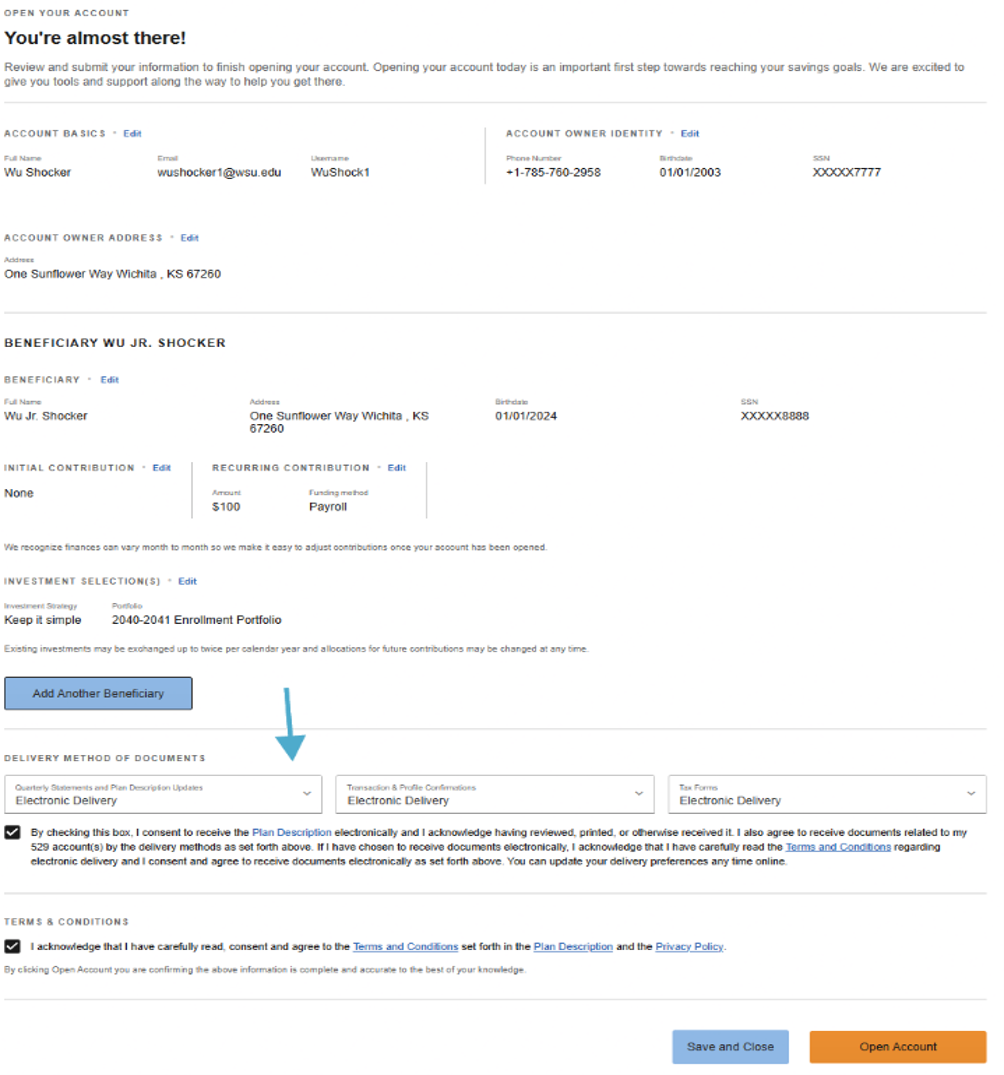
Review the account details, make any needed edits, choose your document delivery method, provide consent, accept the terms and conditions, and select Open Account.
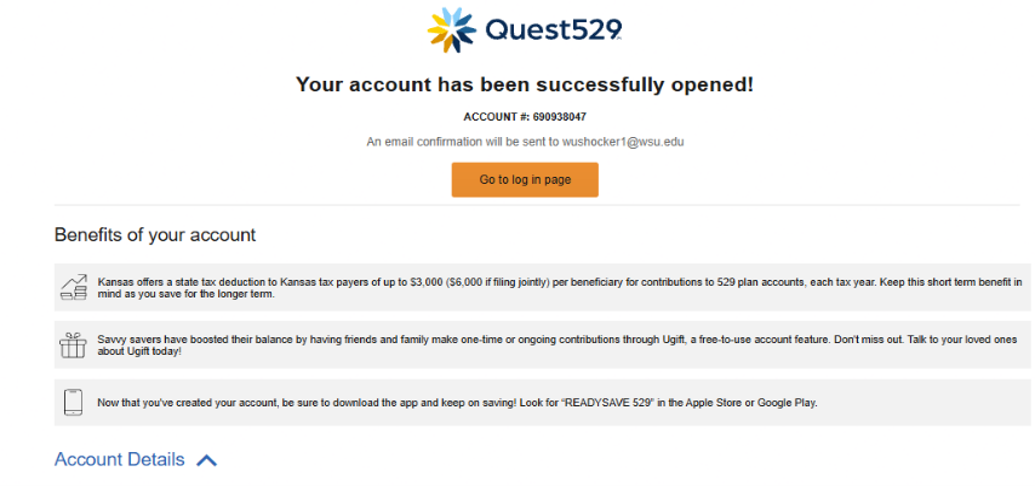
Important: After the account is established, for payroll direct deposit, copy or write down your 9-digit Quest529 account number (can be found below “Your account has been successfully opened!).If a check deposit form pop-up window appears just make sure to write down the account number information before selecting the blue X in the top-right corner to close it.
Move to Part 2 to set up your Quest529 direct deposit as a checking account in your myWSU employee dashboard
Part 2: Set Up Payroll Direct Desposit
New and existing account holders need to follow these steps to set up direct deposit.
Direct Deposit Information can be edited in your Employee Dashboard within myWSU.
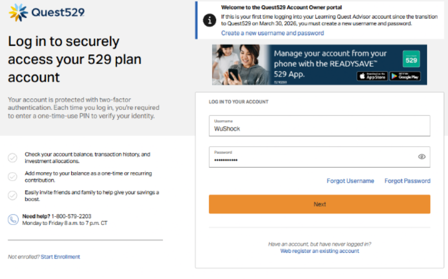
Log in using your username and password, then select Next.
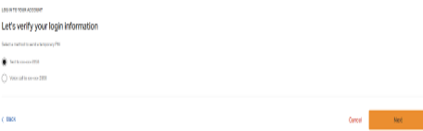
A six-digit code will be sent by text or voice call to the mobile number on file. Choose your preferred method, select Next.
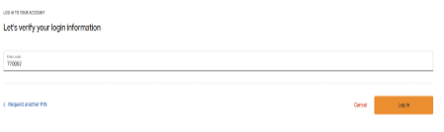
Enter the code and click Log In:
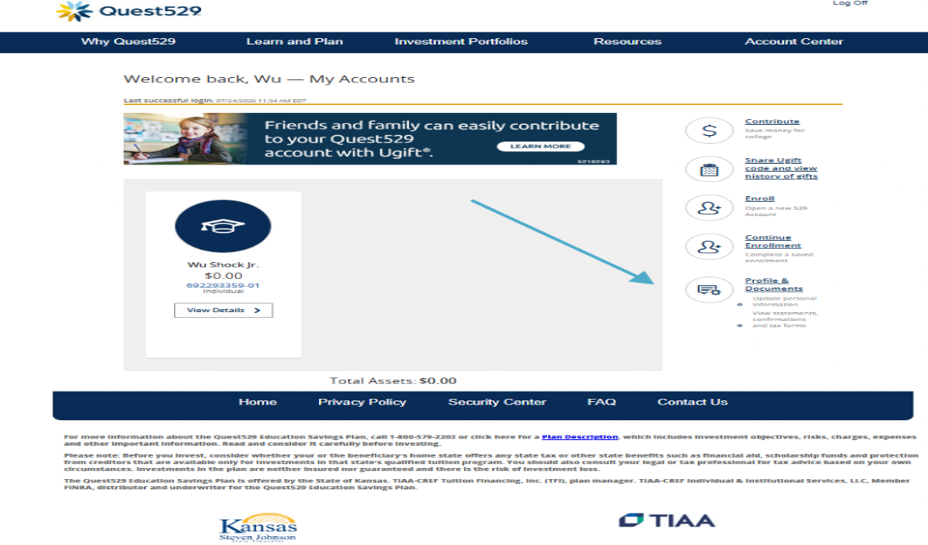
Step A: Start payroll direct deposit instructions by logging into your Quest529 account, click on Profile & Documents
Then Click Payroll Direct Deposit
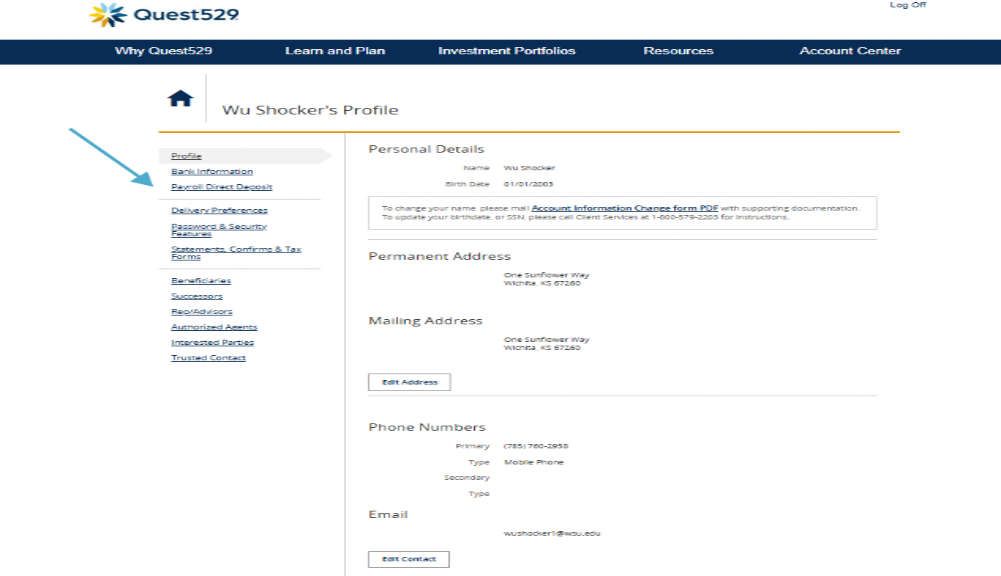
Change Payroll Instructions
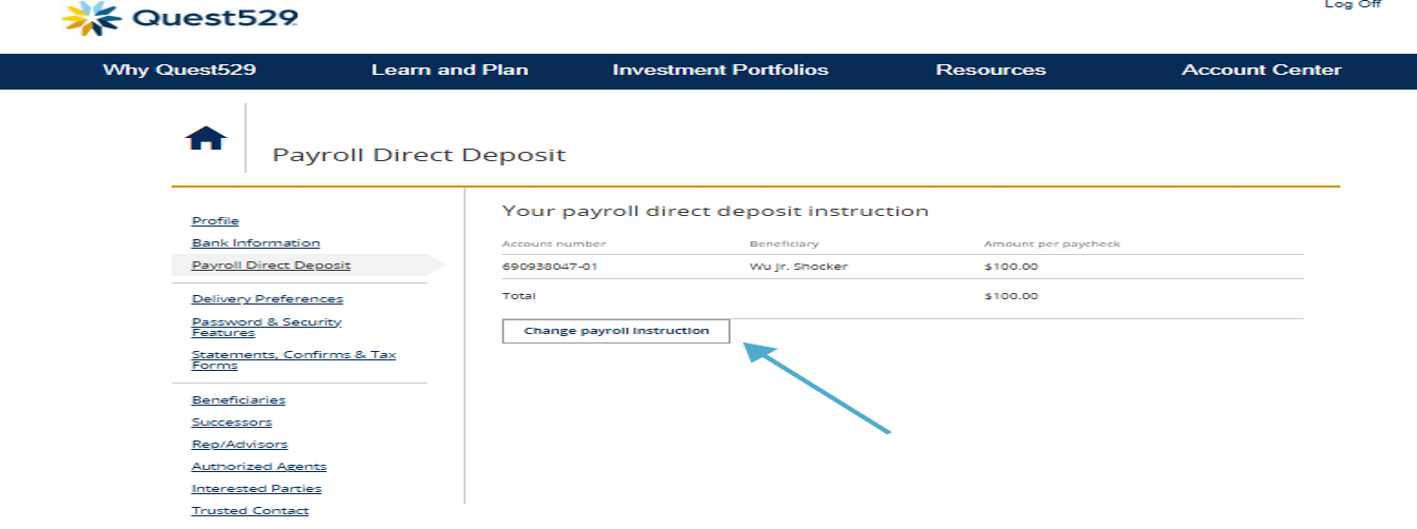
Step B: Enter contribution amount
Enter the amount you want contributed each pay period.
If you have multiple accounts, enter the amount for each beneficiary.
For Direct Deposit Select NO for Are you employed by the State of Kansas? Then choose Next.
Step C: Review your payroll instructions. If everything is correct, select submit and the click Done to generate the payroll form.
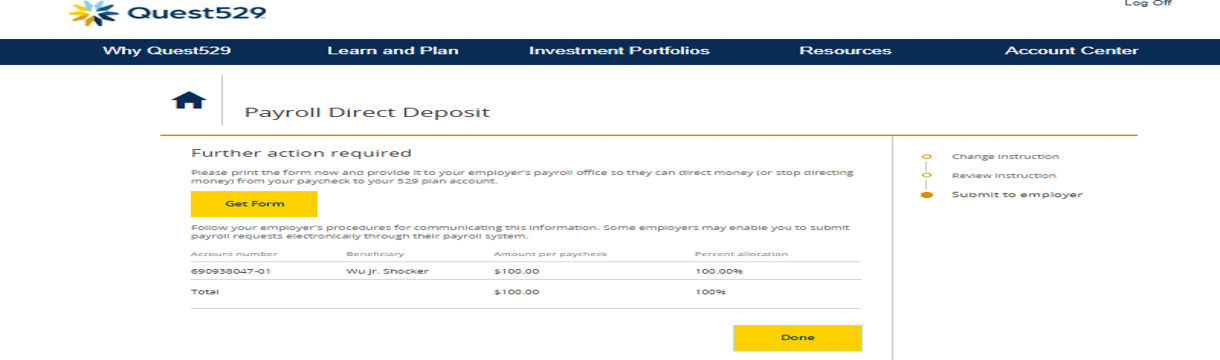
Step D: Print or download the payroll form.
Use the information on the form to add direct deposit information into myWSU on the Employee Dashboard and then retain the form for your records. For questions or help with direct deposit please contact Payroll@wichita.edu.
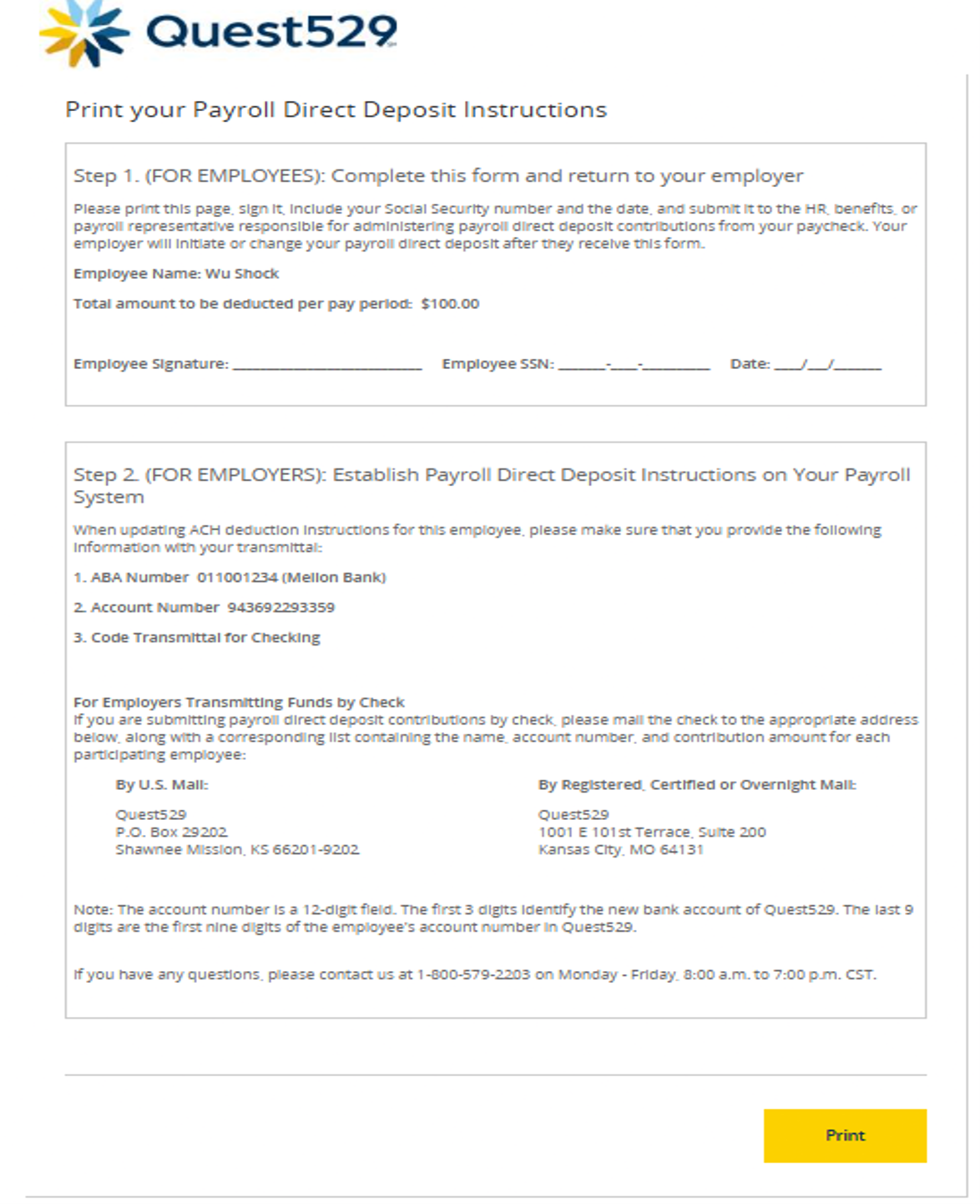
Tip: The direct deposit information appears in Step 2 of the payroll form.
| Direct deposit details | What to enter |
| Account type | Checking |
| Routing number | 011001234 |
| Bank name | Bank of New York Mellon PA |
| Account number | 943 + the first 9 digits of your Quest529 account number |
| Timing | Your first payroll contribution may take 1–3 pay periods. |
Need help? Schedule an appointment with an education consultant https://www.quest529.com/appointments/ or call Quest529 at 800-579-2203.