Wichita State University

Banner - Employee Self Service
The following steps will assist in identifying current personal demographic and contact information, as well as how to make necessary updates through Banner – Employee Self Service.
- Log in to myWSU using your myWSU ID and password.
- Navigate to Employee Self-Service section in the center column.
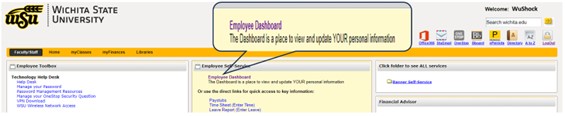
- Click the Employee Dashboard link. This will redirect you to your Employee Dashboard in a new tab.
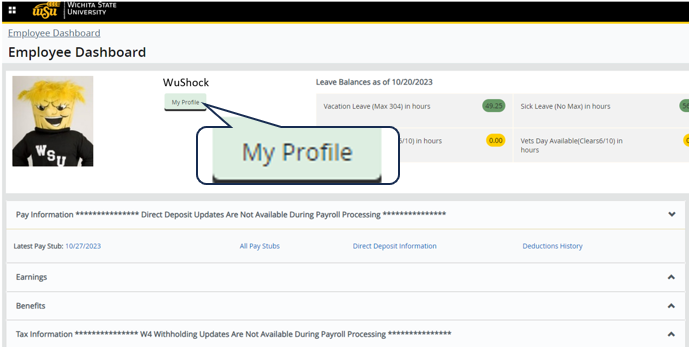
- From your Employee Dashboard, click the My Profile button to view and update personal
information.
- Select the pencil icon
 next to each section or select More Personal Information in the left column.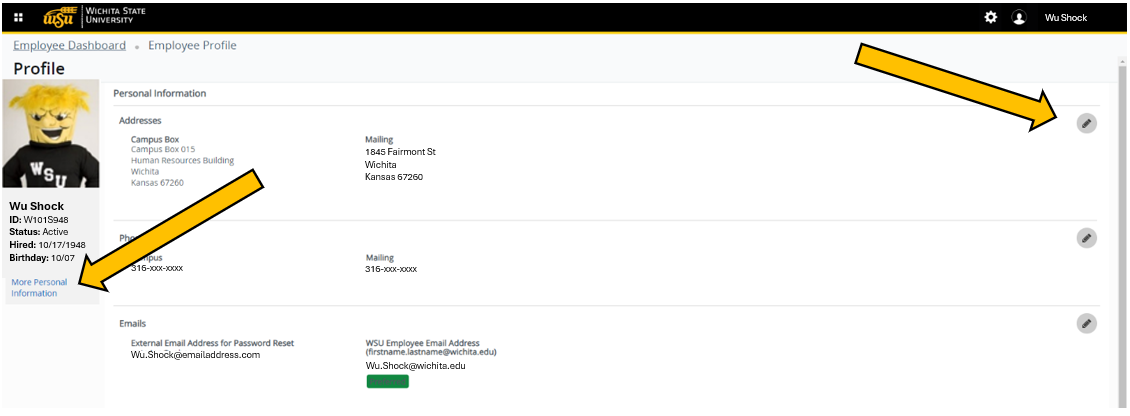
- From the More Personal Information link, you can choose the information category to:
 Edit,
Edit,  Delete,
  or Add New data.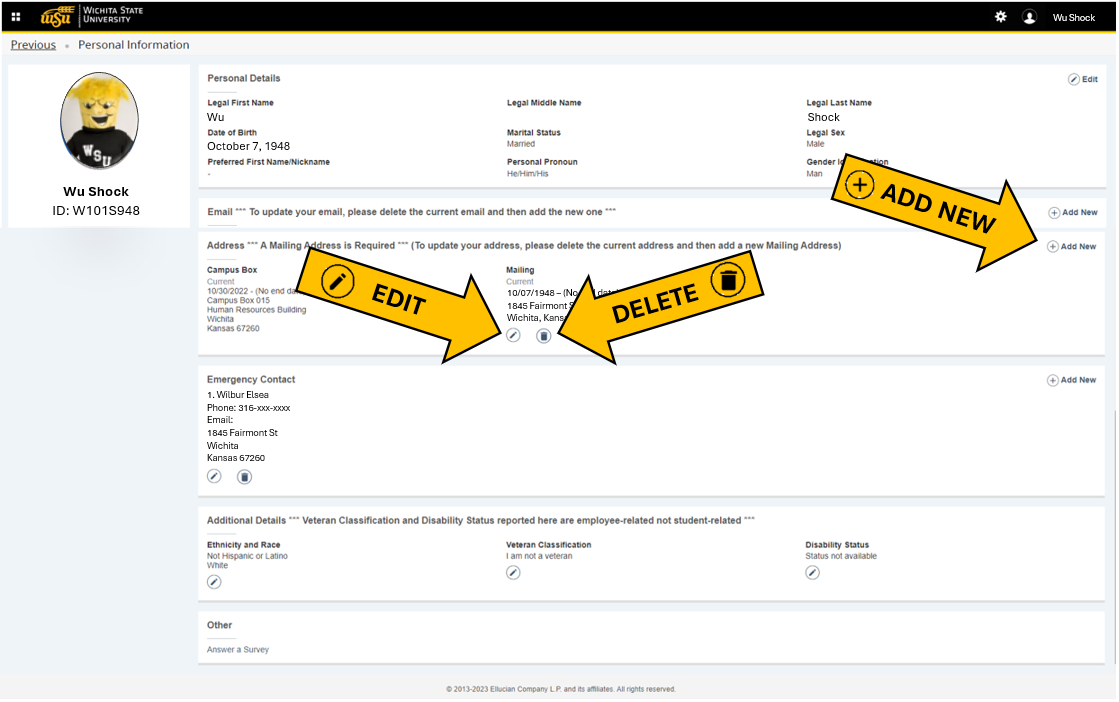
Personal Details
Preferred First Name/Nickname can be modified through Employee Self Service.
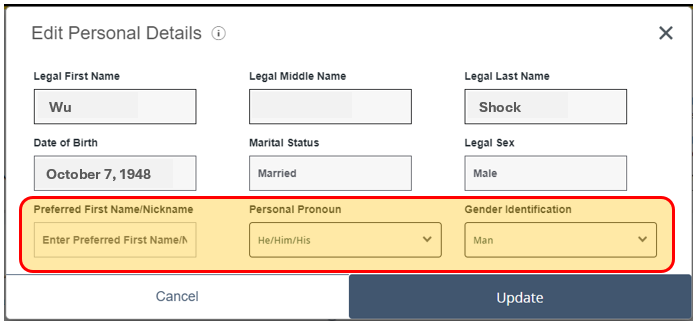
Changes to Legal First, Middle, or Last Name, Date of Birth, Marital Status, and Legal Sex can be requested by contacting the HR Service Center HR.ServiceCenter@wichita.edu.
Email
Email Address options include:
- External Email Address for Password Reset
- Primary Email Address (Non-WSU)
*Your WSU Employee Email Address is automatically set as the preferred email address and cannot be updated or changed from the firstname.lastname@wichita.edu format.*
Phone Number
Phone Number Type options include:
- Cell Number
- Mailing
- Parent 1
- Parent 1 Cell
- Parent 2
- Parent 2 Cell
- Parent 3
- Parent 3 Cell
- Parent 4
- Parent 4 Cell
- Permanent
Once a phone number is entered, the number can be checked as primary and employees have the option to mark the number as unlisted.
*Your Campus Phone number is automatically set as the preferred phone number and cannot be updated.*
Address
*Your Campus Box is automatically set as the preferred email address and cannot be updated or changed through Employee Self Service.*
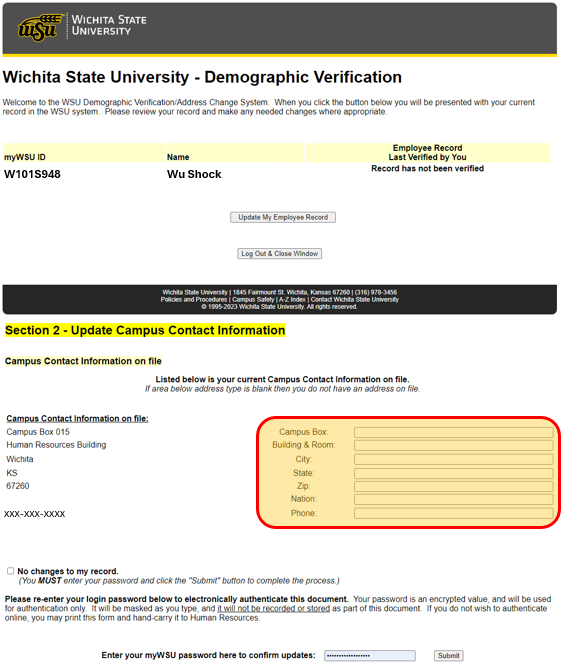
Campus Box
https://webapps.wichita.edu/WSUDemographics/menu.aspx
Employees can submit a change in Campus Box through the link above. Campus Box number should be a three (3) digit number. Once the information has been updated, employees will need to enter their myWSU password to confirm and submit updates.
Emergency Contact
Multiple emergency contacts can be added to your account. If multiple are present, use the order drop down to designate the priority of contact. Contact information includes:
- Legal Name
- Relationship
- Phone Number
- Address
Additional Details
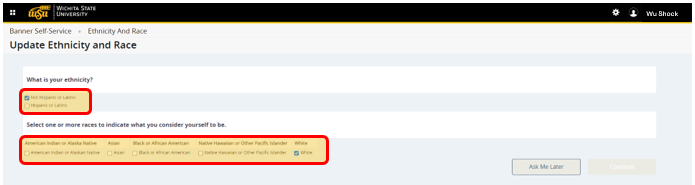
Ethnicity and Race
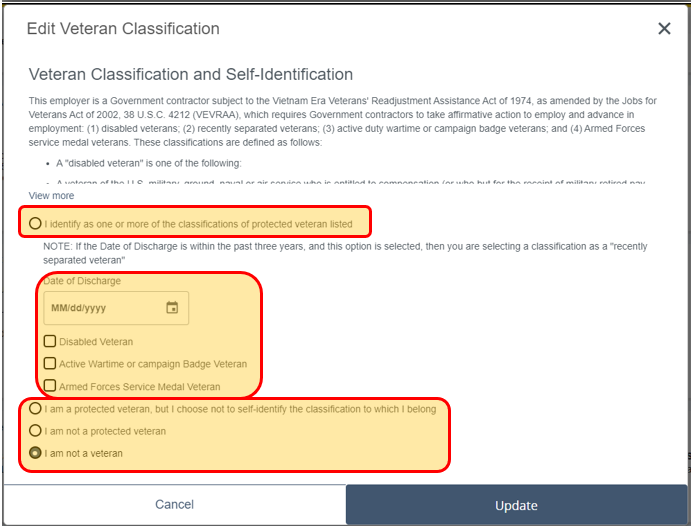
Veteran Classification